Tenant management
Overview
This module distinguishes individual users from paid tenants.
- Individual users can use the system's basic features.
- Paid tenants support workspace sharing among tenants under the same tenant administrator.
- Tenant administrators manage tenant information and can invite or remove tenant members.
Features
User categories
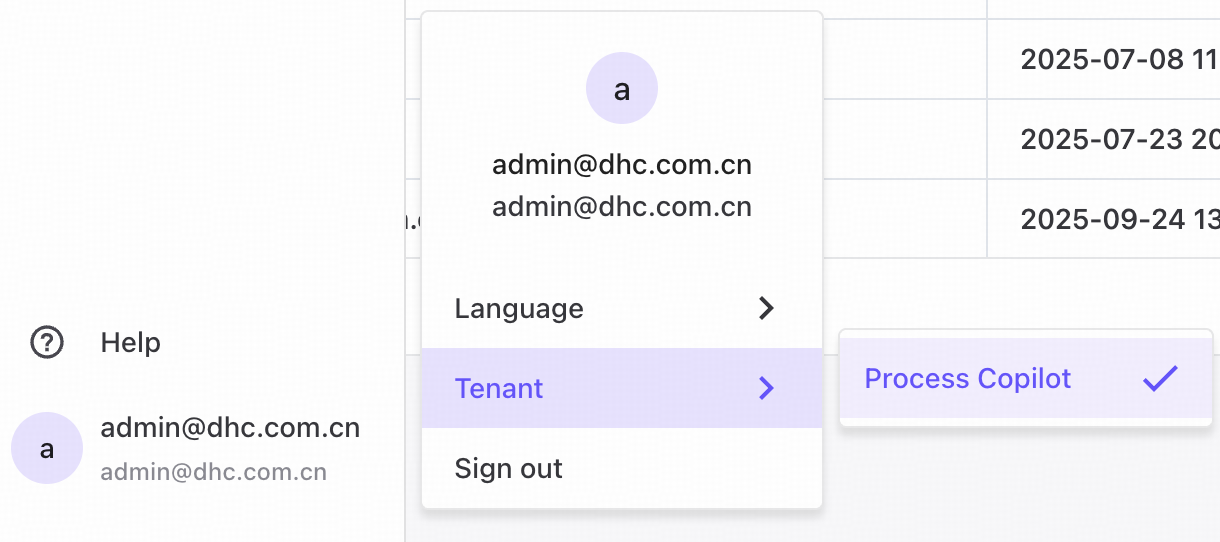
Switch between the free individual edition and paid tenants on the Personal settings page, as shown below.
Tenant administrator information
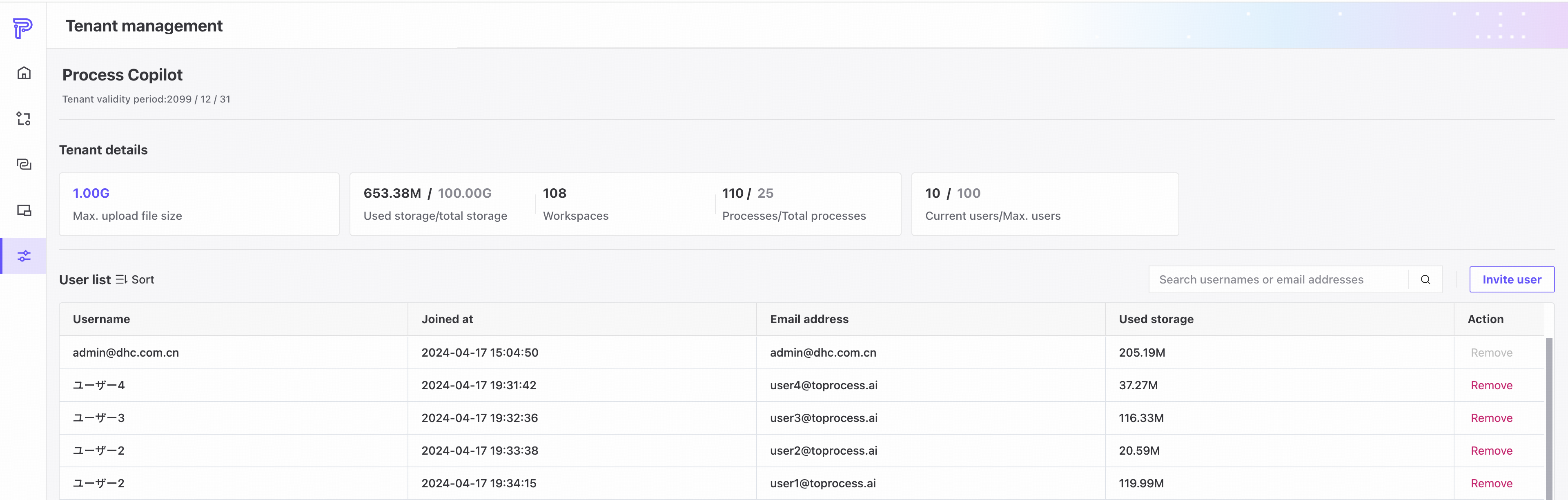
- Tenant validity period: when the current tenant's access expires.
- Maximum upload size per file: 100 MB for individual users and 1 GB for paid tenants.
- Used/total capacity: the combined size of uploaded files compared with the tenant's total upload capacity.
- Workspaces: the total number of workspaces created in the tenant, excluding local workspaces.
- Processes: the total number of processes created in the tenant.
- Current/maximum users: the number of invited users compared with the tenant's user limit.

User list
❶ User information for the tenant.
❷ Search by username or email address.
❸ Remove tenant membership.

Invite users
Tenant administrators can invite users to join the tenant.
❶ Registered users can be invited directly.
❷ Unregistered users can register using the invitation link and join the tenant immediately after registration.

When the invited tenant limit is reached, no additional users can be invited.

Paid tenant features
❶ Paid enterprise tenants can invite process collaborators.
Tenants under the same tenant administrator can invite one another as workspace collaborators.
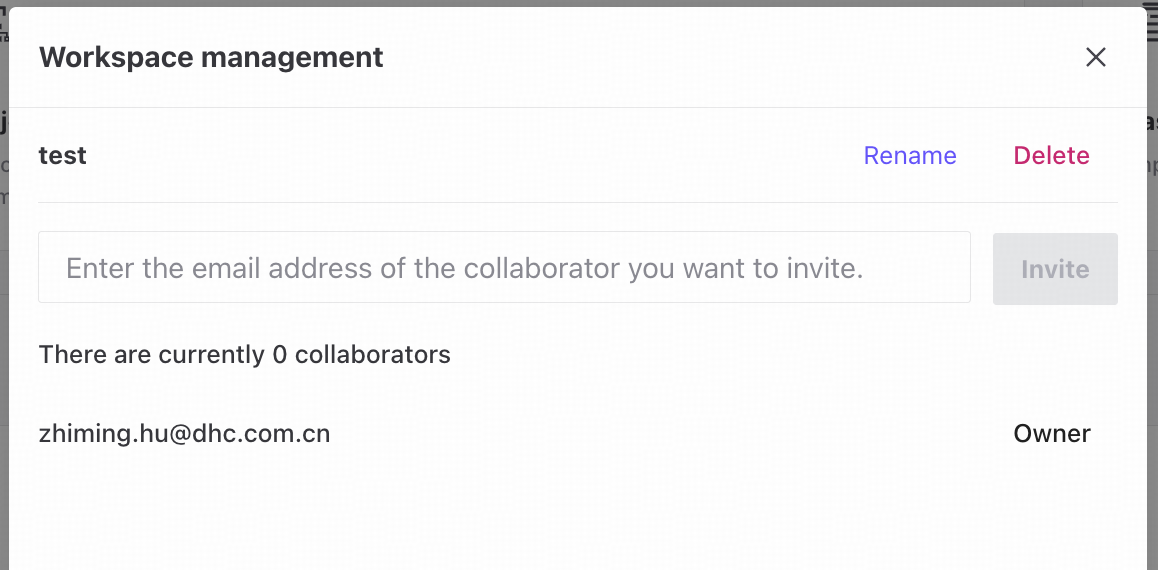
❷ Free individual users cannot invite collaborators.
