Home
After signing in with your account and password, you arrive at the Process Copilot home page. From here, you can import data to start process analysis or manage existing assets.
Overview page
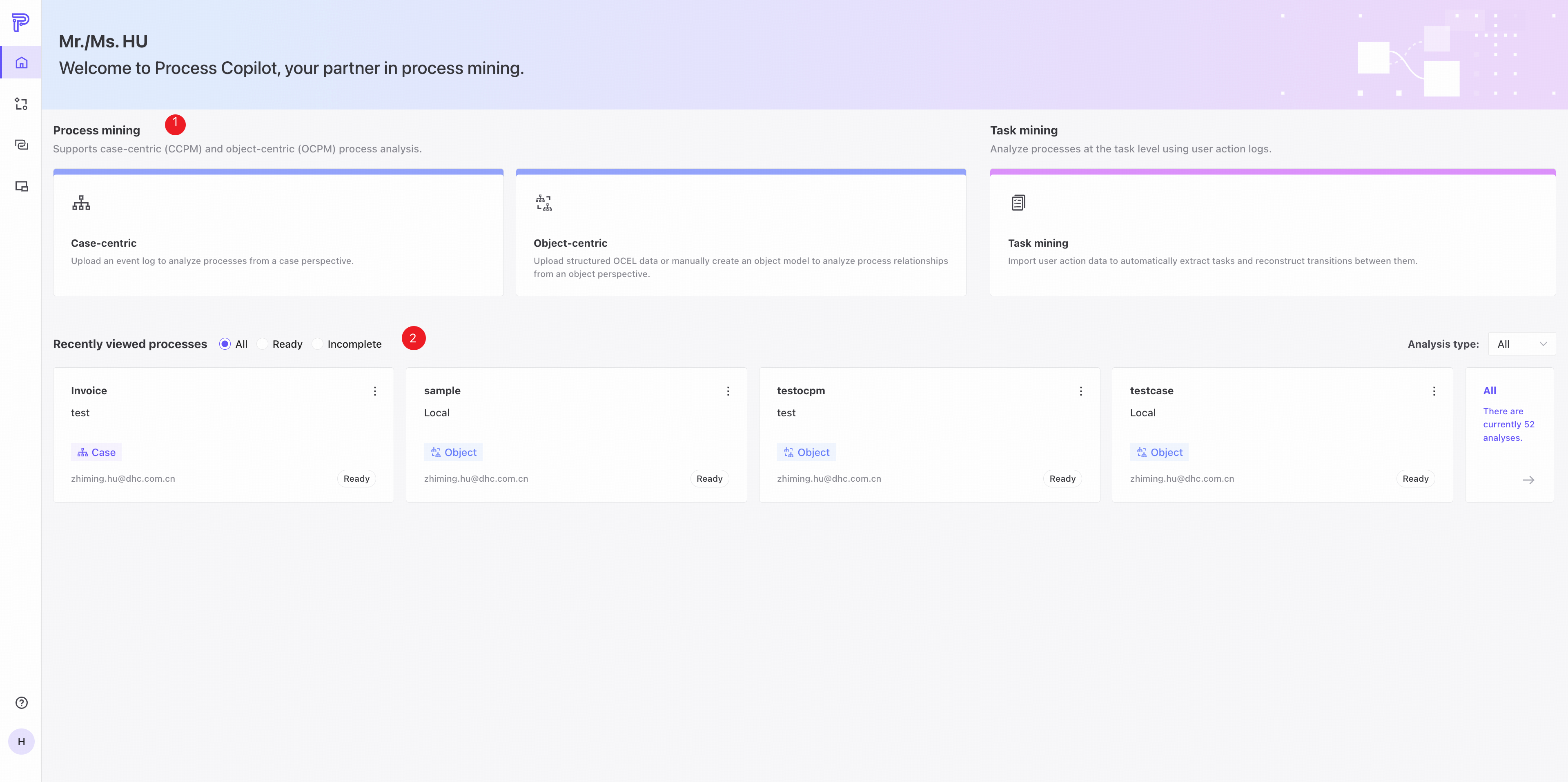
❶ Choose how to create a process analysis:
- Quick start: upload a CSV or XES file to start process analysis quickly.
- Data pool: select a data source and use the data pool integration to start process analysis.
❷ Recently viewed processes are displayed here:
- Click a tab to view Ready or Incomplete processes.
- Click a process card to open its analysis.
- Click All processes to open Asset management.
The card shows the total number of processes for the current user.
Asset management page
View and manage all process analyses for the current user, or create a new process analysis.
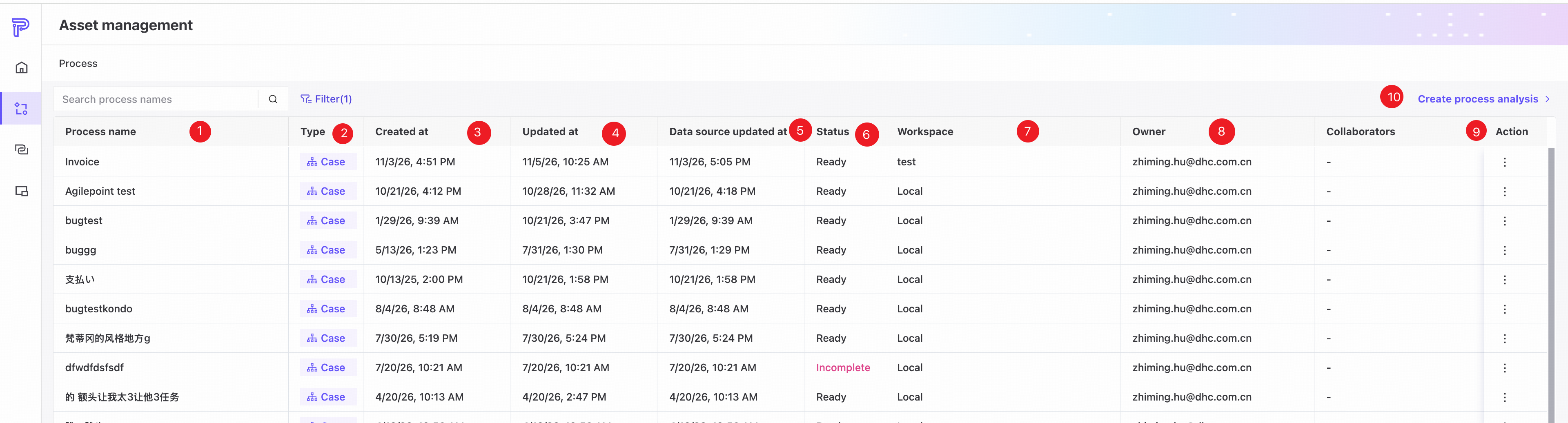
❶ Process name.
❷ Type: Process mining or Task mining analysis.
❸ When the process analysis was created.
❹ When the process analysis was last updated.
❺ When the data source for the process analysis was updated.
❻ Status: Ready or Incomplete.
❼ The workspace containing the process analysis.
❽ The owner of the process analysis.
❾ Actions area, where you can delete the process.
❿ Click to return to the home page.
After returning to the home page, you can create a new Process mining or Task mining analysis.