Manage process explorations
Explorations for all processes are saved on the Process exploration list page.
List page
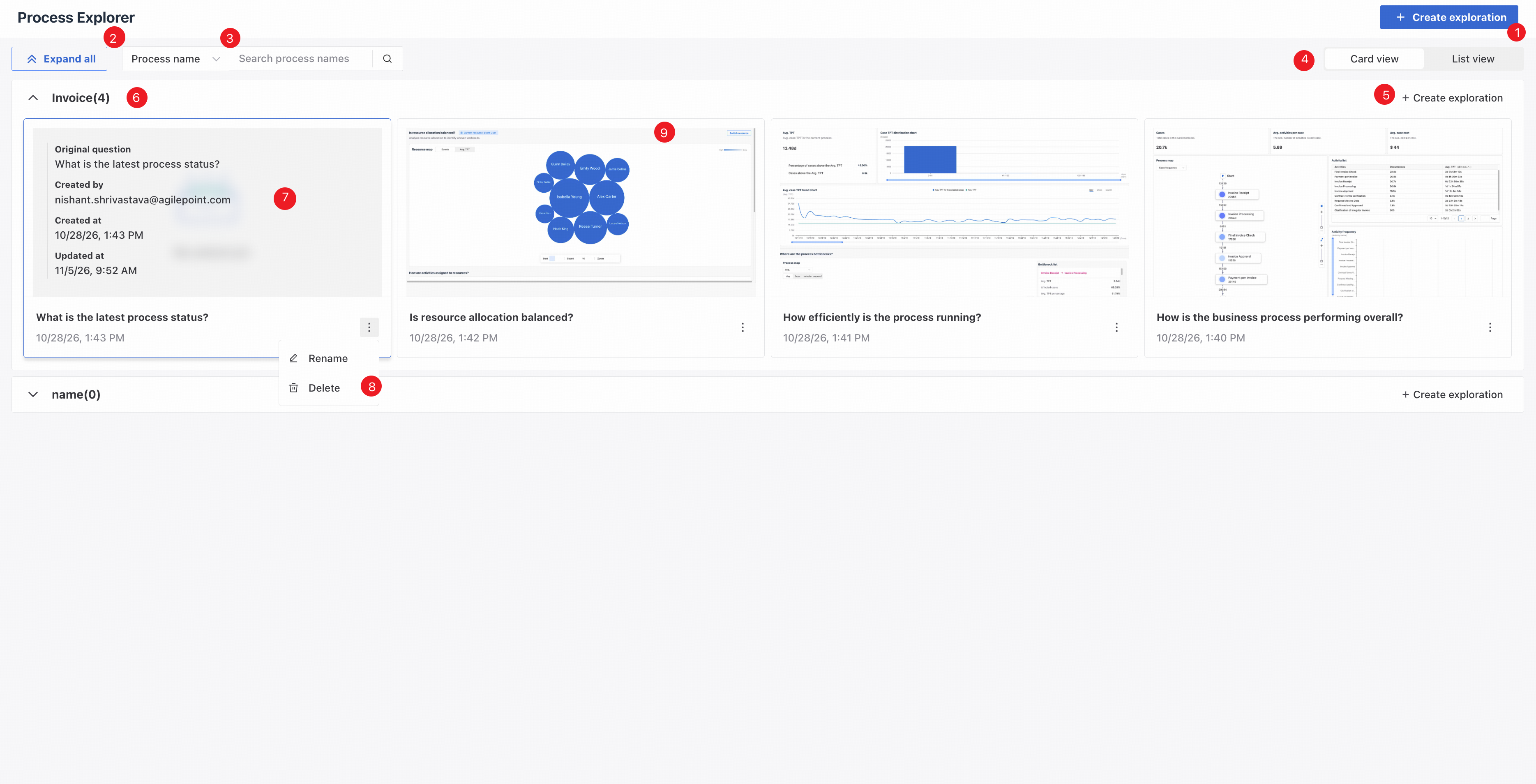
❶ Click and select a process to create a new exploration.
❷ Choose Expand all or Collapse all.
❸ Choose whether to search by process name or exploration name.
❹ Switch between card and list views.
❺ Create a new exploration for the current process.
❻ Exploration display area.
❼ Hover to see the exploration's creator, creation time, and update time.
❽ Choose Rename or Delete for the exploration.
❾ A banner appears when the data source changes.
Create a process exploration
Click New exploration to open the following page.
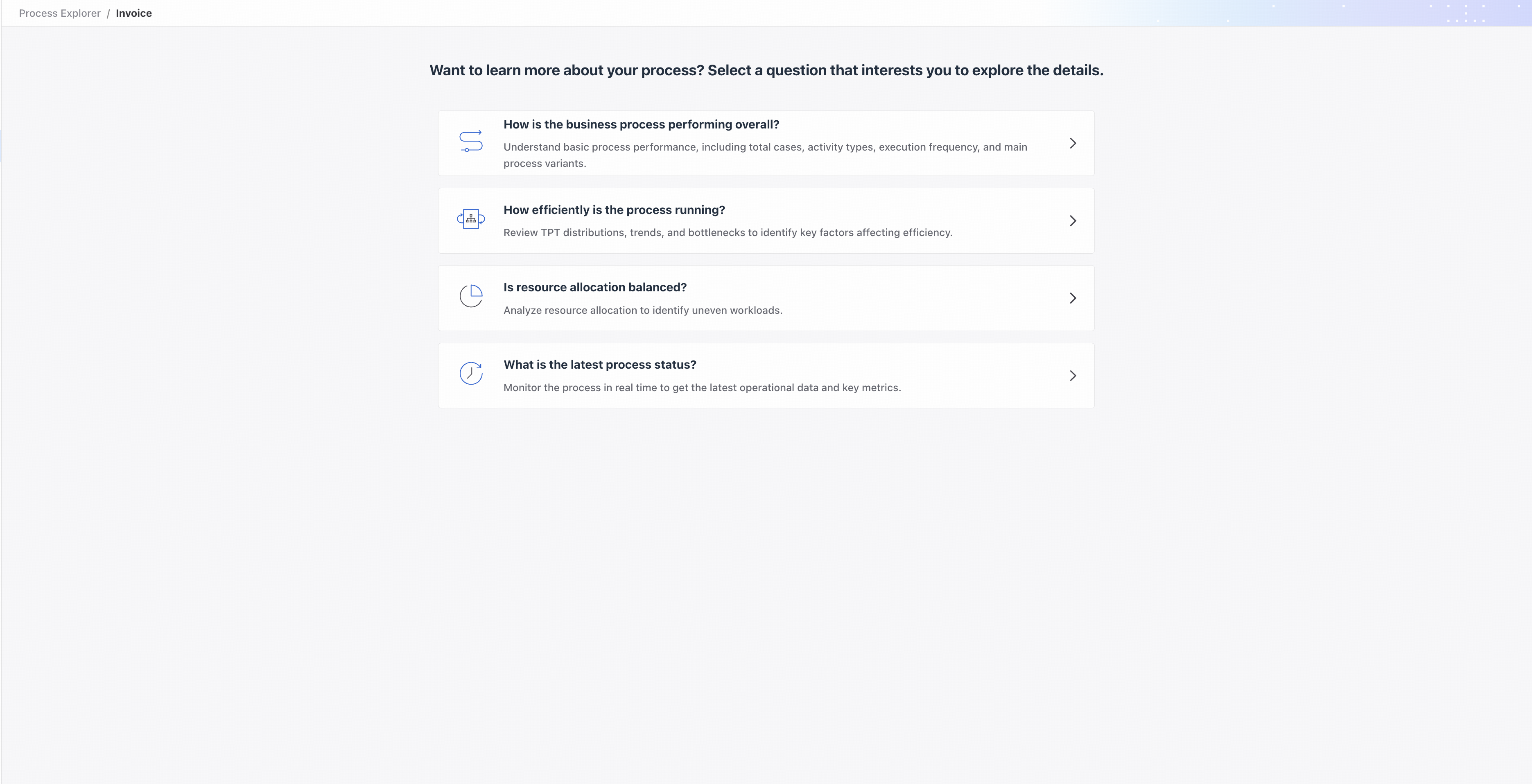
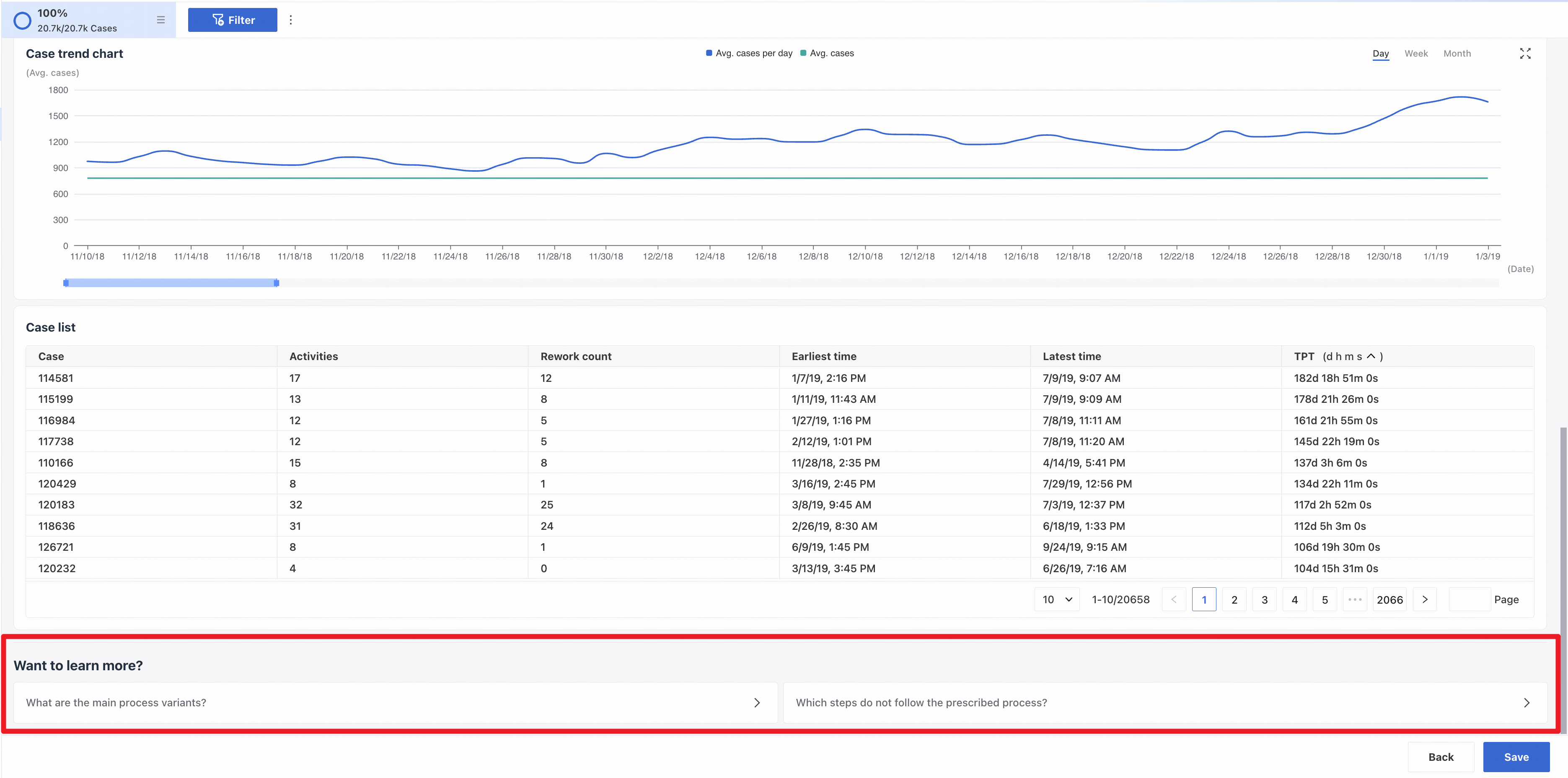
Select a question of interest to open the dashboard. Click subquestions to add analysis views to the dashboard.
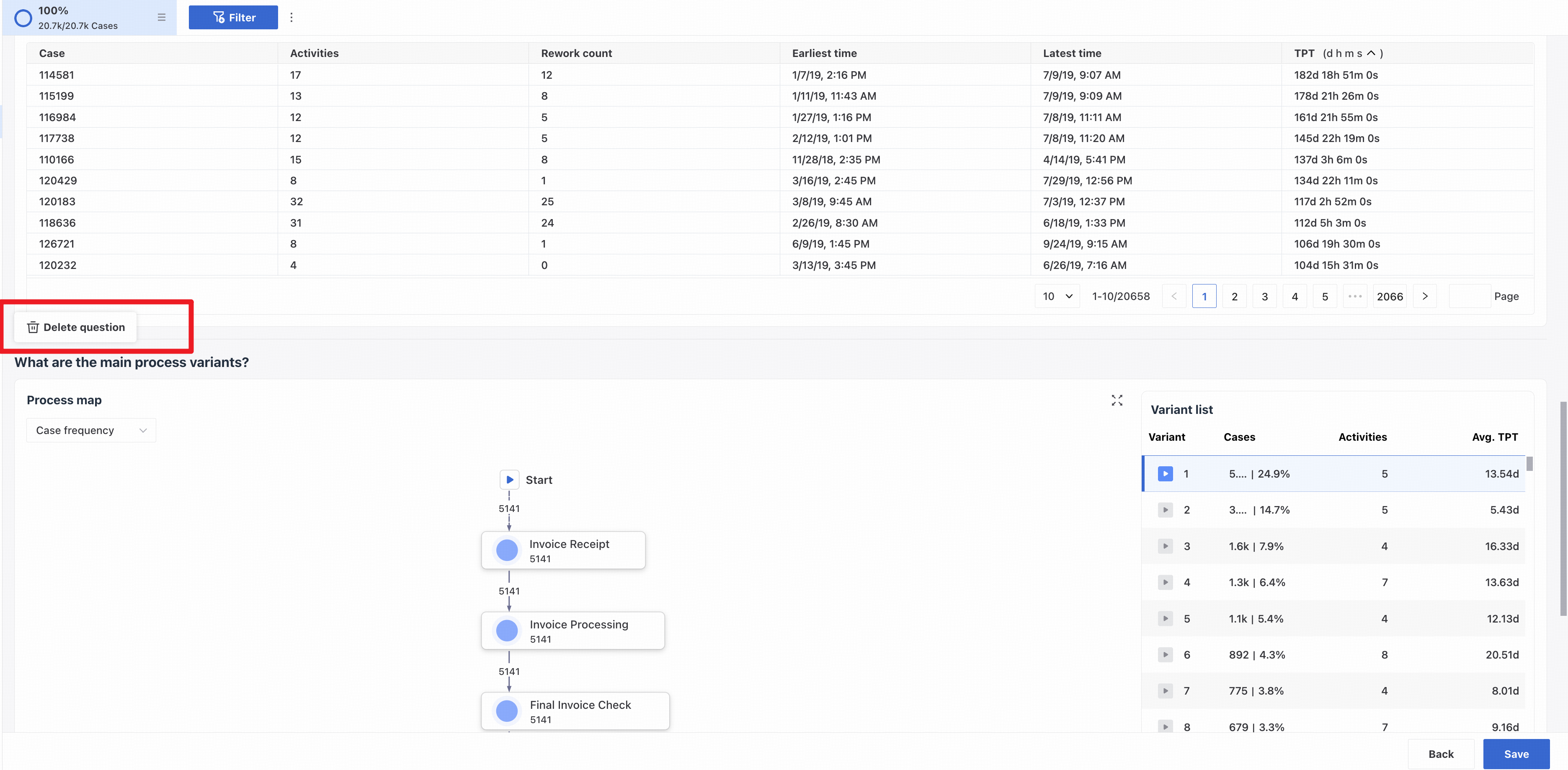
Hover over a question name to delete the question.
Click Save to save the process exploration.