Build a model from OCEL data
About OCEL data
OCEL 2.0 (Object-Centric Event Log) is a data structure for processes involving multiple objects. Unlike traditional single-case event logs, it centers on events and records the multiple object instances related to each event, representing intersecting and collaborative business behavior.
In traditional event logs, an event belongs to one case. Relationships between objects must be represented indirectly through splitting, duplication, or additional fields. For multi-object processes, this can flatten relationships, weaken meaning, and simplify the process into a single perspective that poorly captures dependencies, hierarchies, and collaboration. OCEL addresses this through explicit modeling of objects and their relationships.
OCEL data typically includes four core information categories:
- Events, such as event ID, activity name, and timestamp.
- Objects, such as object type and object instance ID.
- Event-object relationships, identifying the objects involved in an event.
- Object-object relationships, describing ownership, associations, or dependencies between objects.
Example:
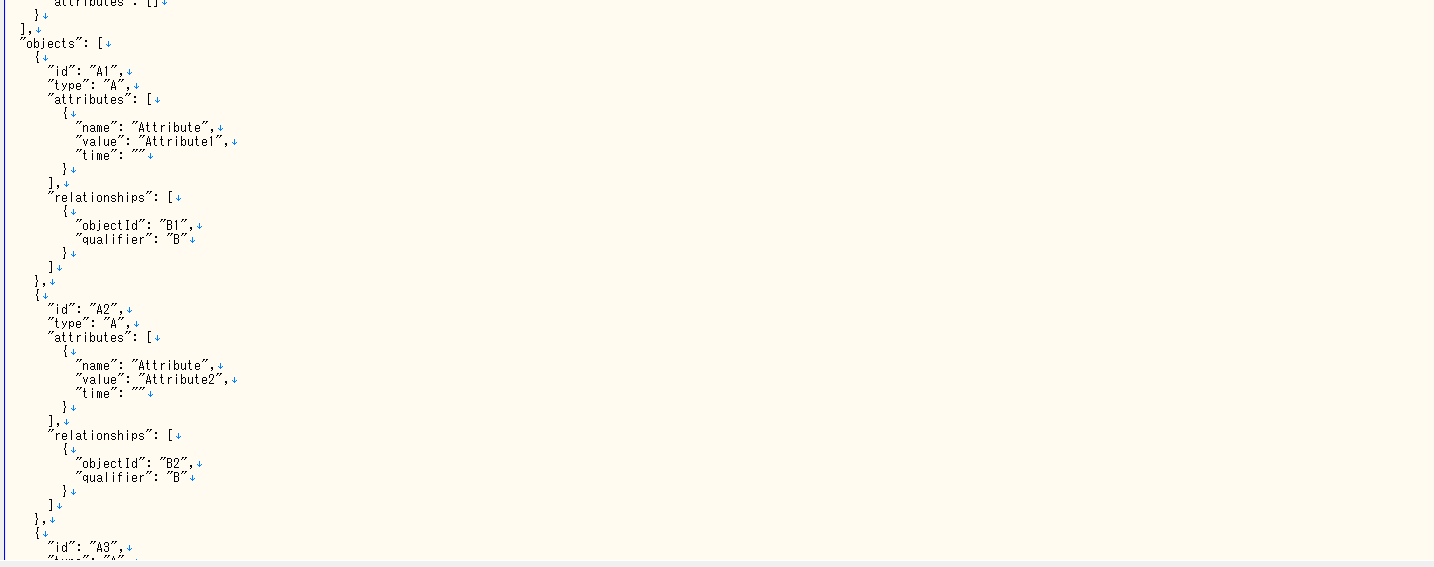
Together, these categories describe what happened, which objects were involved, and how the objects relate, providing a structured basis for multi-object modeling and analysis.
Create a process analysis
Create a process
Name the analysis, select a workspace, and choose a model creation method.
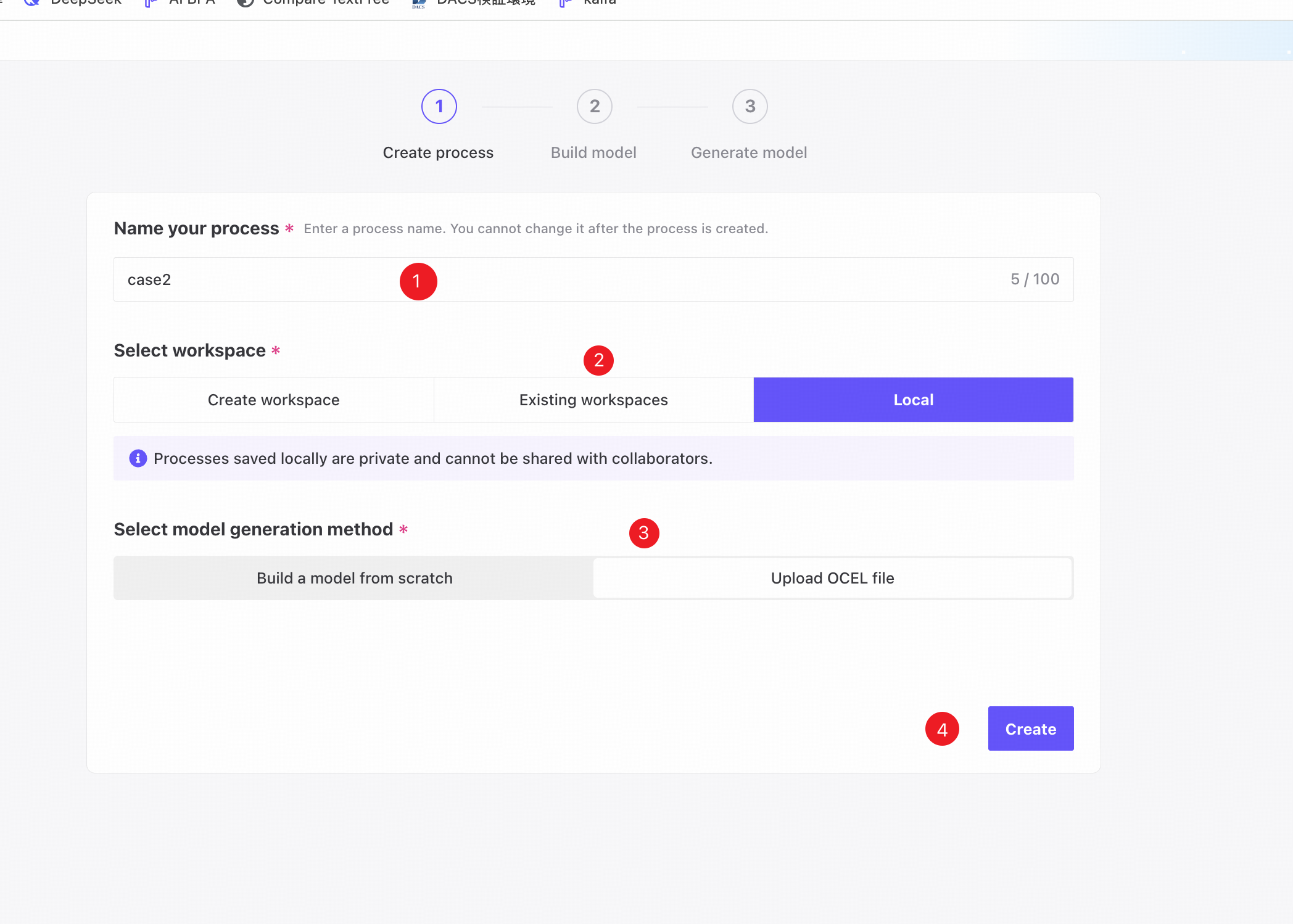
❶ Enter a unique process name. It cannot be changed after creation.
❷ Create a workspace, select an existing workspace, or save locally.
❸ Choose Upload OCEL file as the model generation method.
❹ Click Create to create the process.
Build the model
Upload an OCEL file
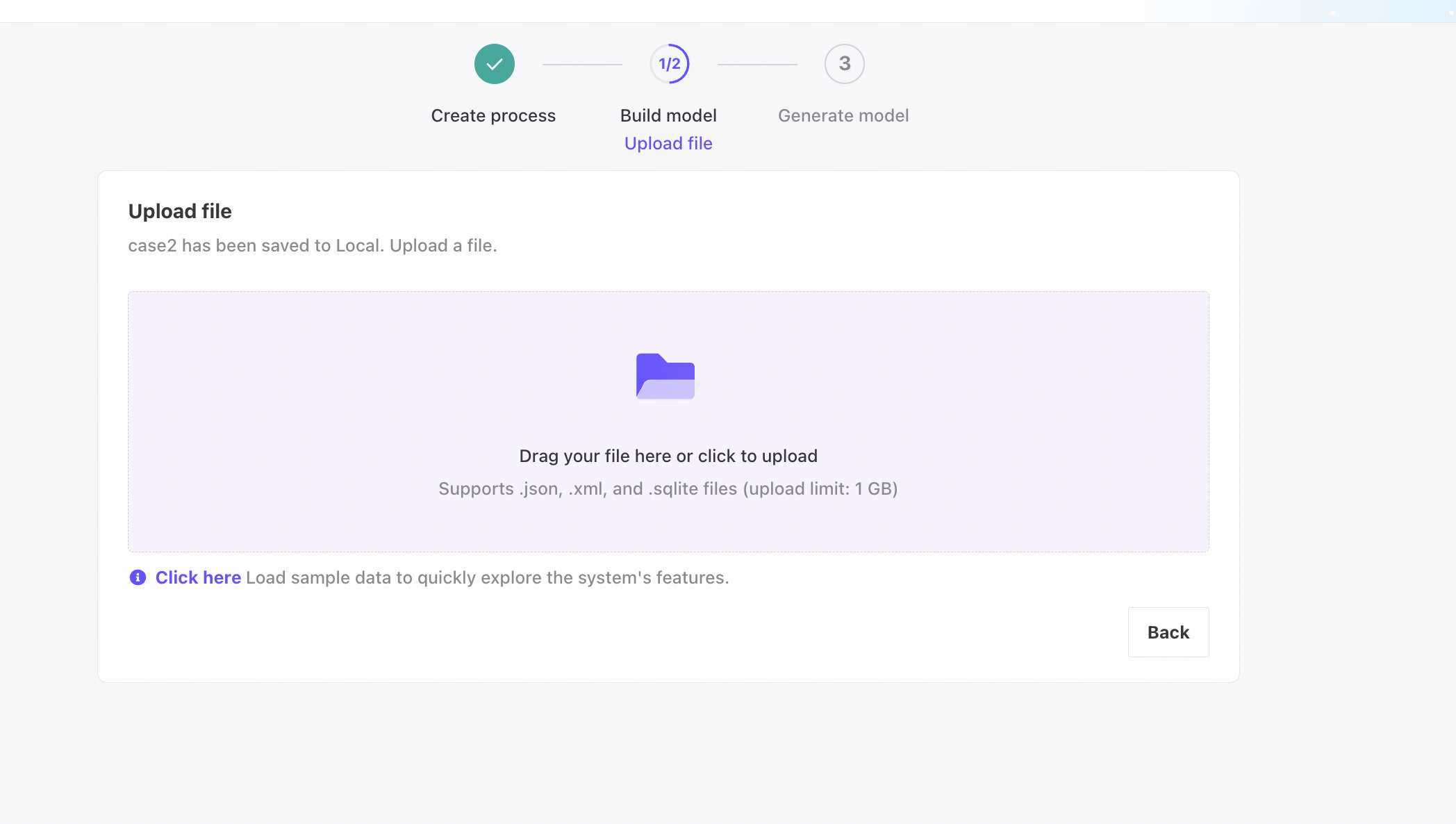
Drag and drop an OCEL file, or click to select one.
Click Click here to upload sample data automatically and explore the features quickly.
Model display
View details of the current data.
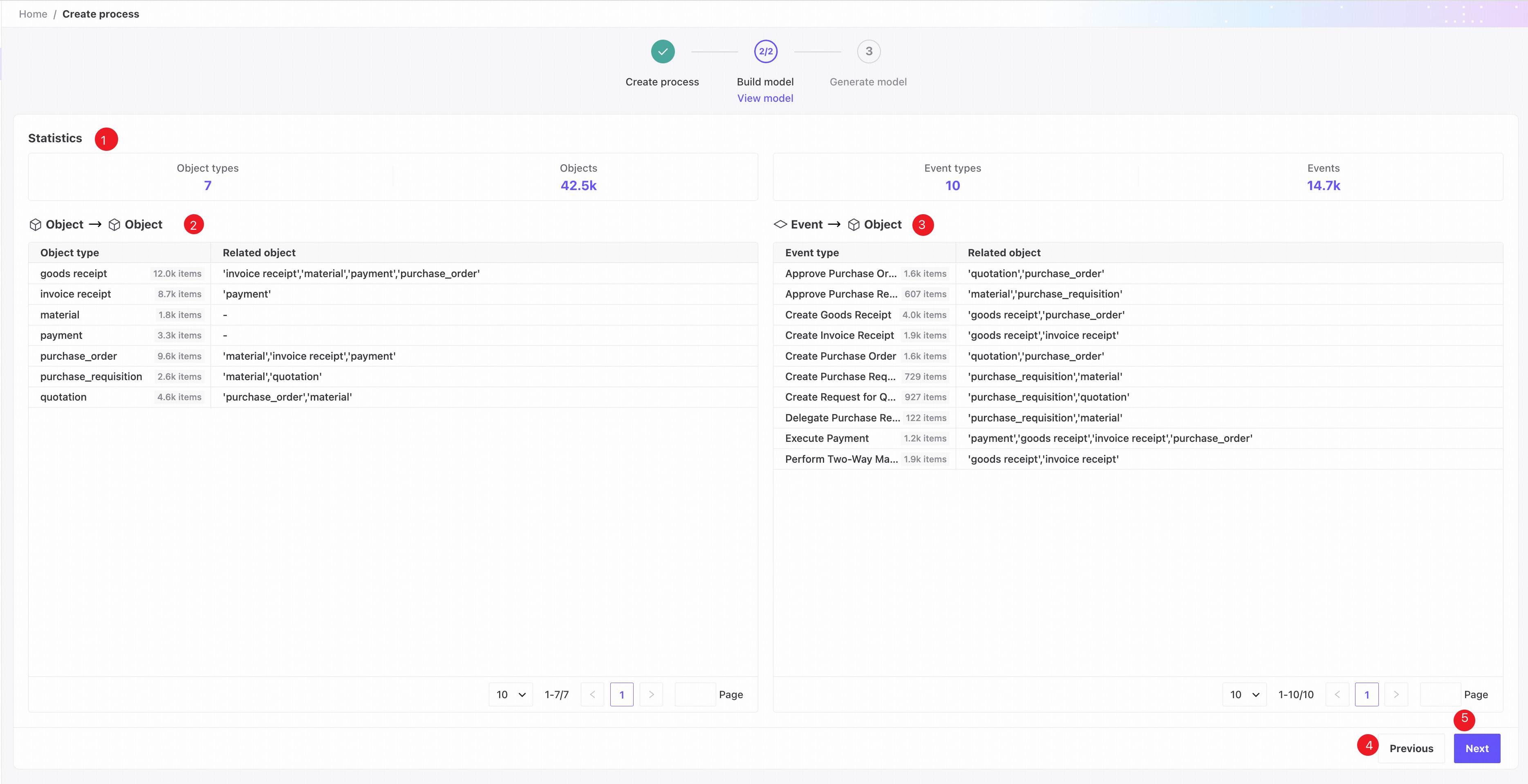
❶ Statistics: object and event type counts, objects with related events, and events with related objects.
❷ Object-object relationships: object types associated with each object type. The number is the count of objects of that type that have related events.
❸ Event-object relationships: object types associated with each event type. The number is the count of events of that type that have related objects.
❹ Click Previous to return to file upload.
❺ Click Next to generate the model and open Overview.