Insight list
The Insight list shows all insights available to the current user, grouped by process. Search, create, edit, or delete insights here.
Collaborators cannot delete insights.
Global controls
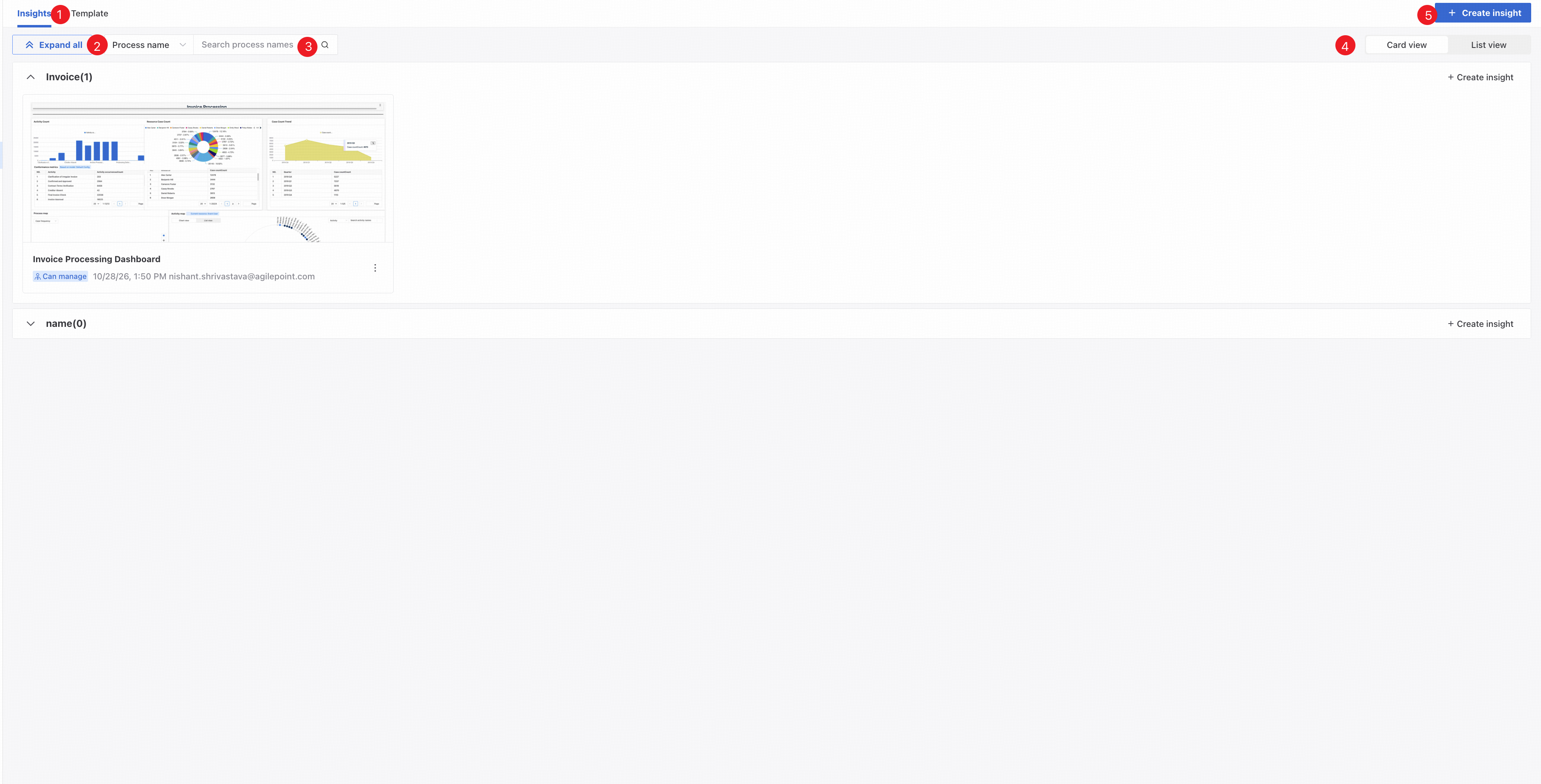
❶ Click the Insights tab to show all insights available to the current user.
❷ Expand or collapse insights for all processes.
❸ Search by process name or insight name.
❹ Switch views.
❺ Select a process and enter an insight name to create an insight for that process.
Card view
Card view displays insights as cards grouped by process.
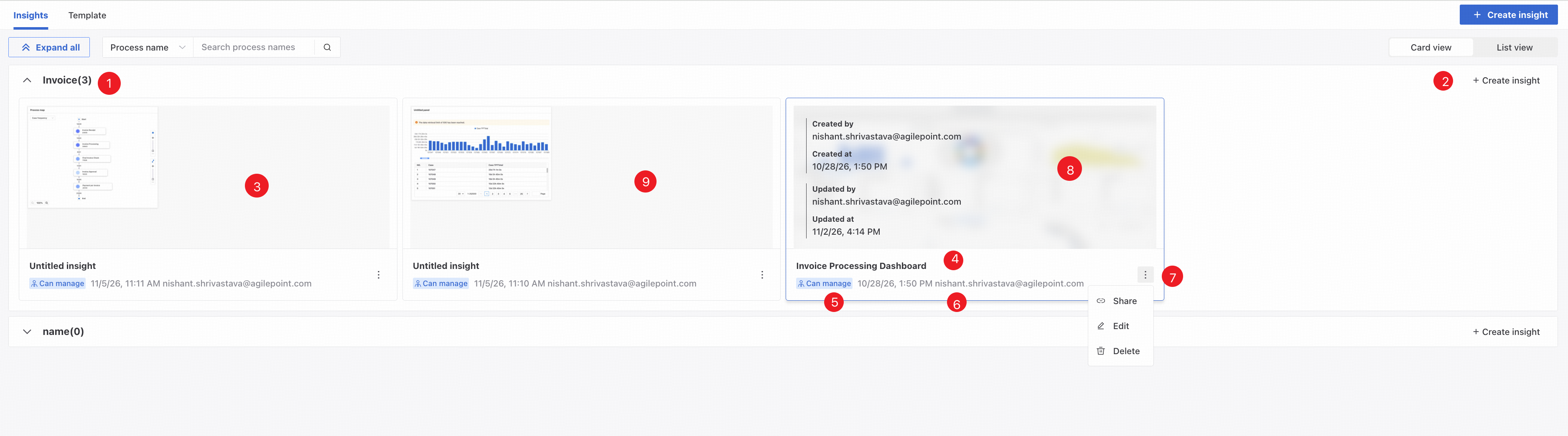
❶ Expand or collapse insights for this process.
❷ Create an insight directly for the current process.
❸ The preview thumbnail shows the insight's content.
Thumbnails do not refresh immediately when the data source changes. Open the insight to refresh its thumbnail. A banner on the thumbnail indicates a data source change.
❹ Insight name.
❺ Permission: Can manage, Can edit, or View only.
❻ The insight's creation time and creator.
❼ Share, edit, or delete the insight.
❽ Hover over a card to see its creator, creation time, latest update time, and updater.
❾ Click a card to preview the insight.
- Share an insight
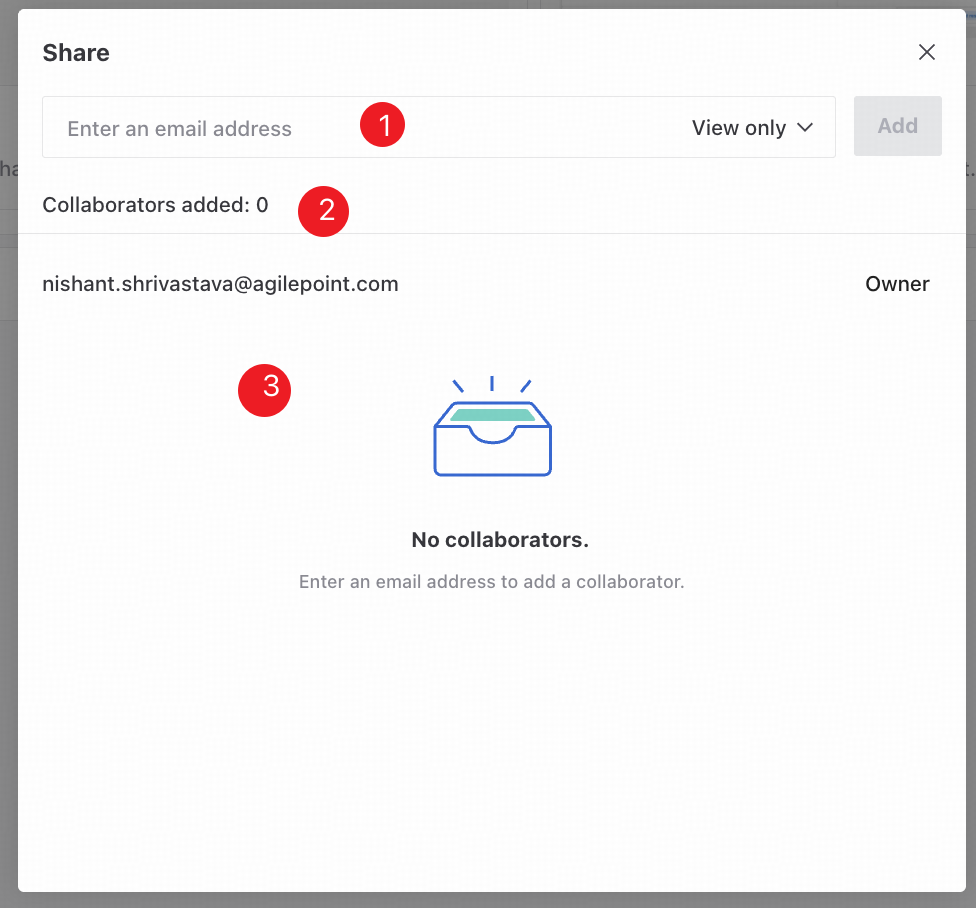
❶ Enter a collaborator's email address, select a permission level, and click Add to share the insight.
❷ The number of collaborators already added.
❸ View all collaborators and the owner, together with their permissions.
List view
List view displays insights in lists grouped by process.
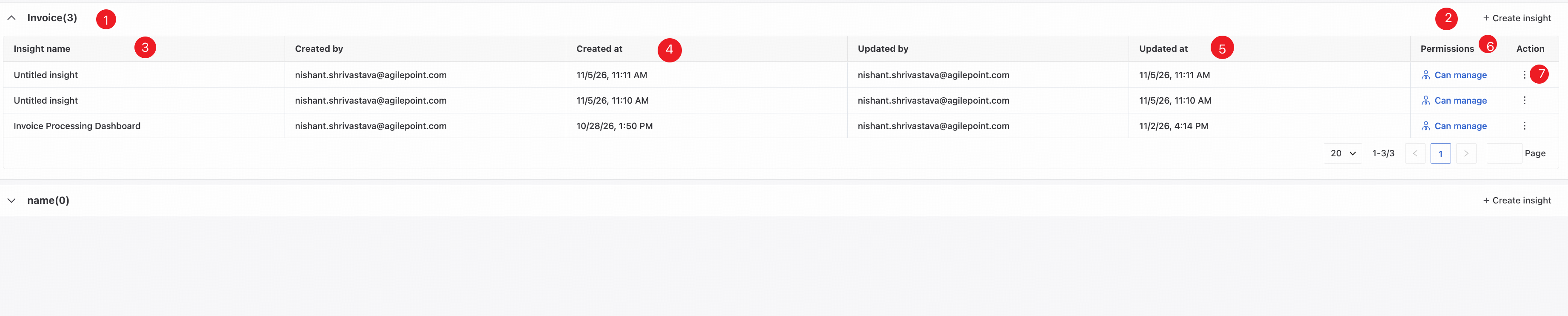
❶ Expand or collapse insights for this process.
❷ Create an insight directly for the current process.
❸ Insight name.
❹ Creator and creation time.
❺ Updater and update time.
❻ Current permission.
❼ Share, edit, or delete the insight.