Custom attribute settings
Overview
Standard event logs may not capture every business dimension, such as customer tier, channel, or region. Custom attributes let you add fields to cases without changing the original log structure. Use them in process analysis, filtering, Resource analysis, and other features for deeper, more relevant business insights.
Features
Custom attribute overview
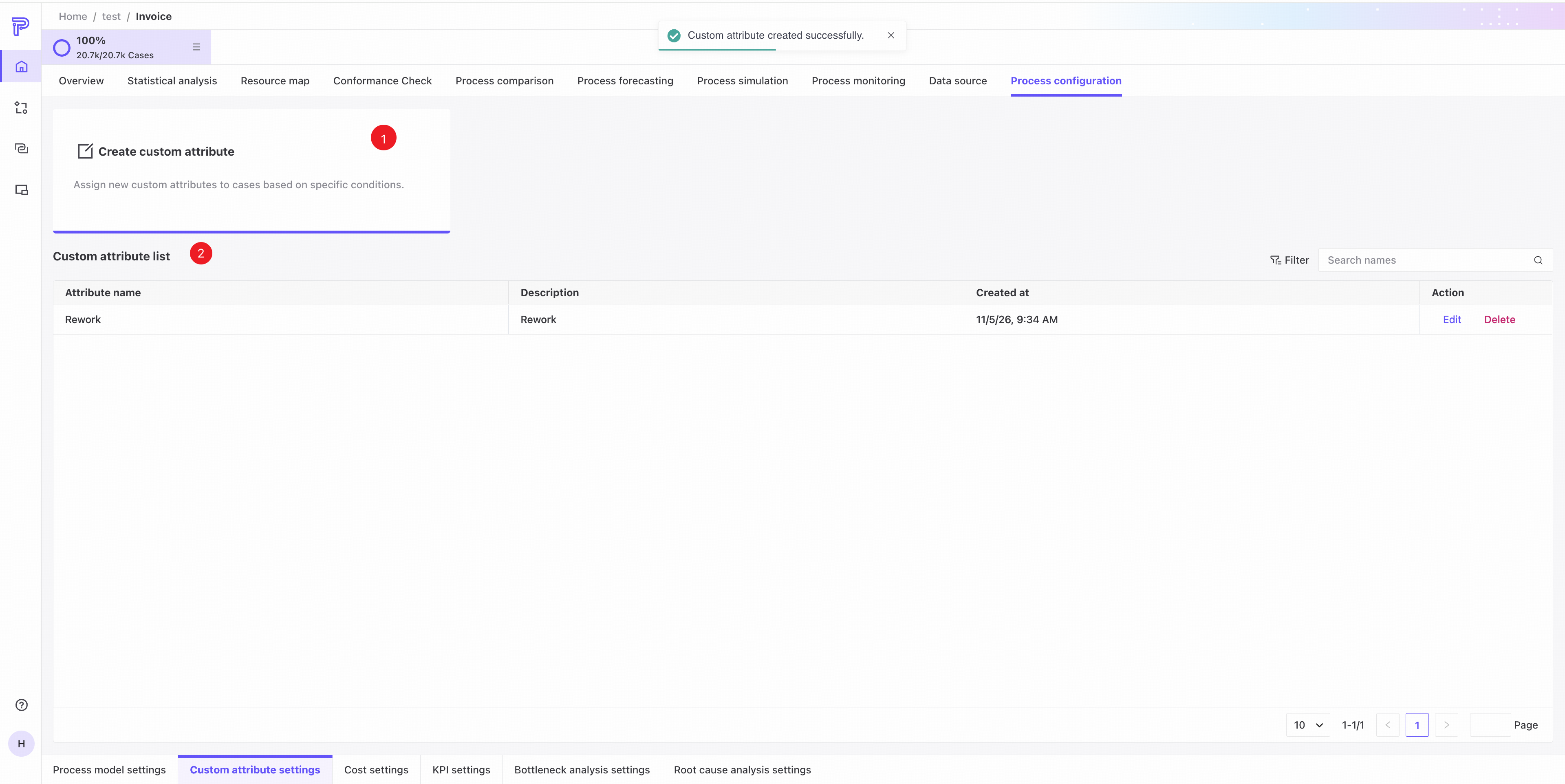
❶ Open the custom attribute creation page.
❷ Custom attribute list.
- Attribute name: the name of the user-created attribute column.
- Description: entered when the attribute column was created.
- Created at: when the attribute column was created.
- Filter: search by attribute column name.
❸ Edit: change the description, conditions, return values, and other settings using the same controls as on the creation page.
❹ Delete the custom attribute column.
Custom attributes are used widely in filters, Root cause analysis, Resource map, Conformance Check, Process forecasting, Process exploration, and Insights. Editing or deleting them may affect or remove existing analysis results. Proceed carefully.
Create a custom attribute
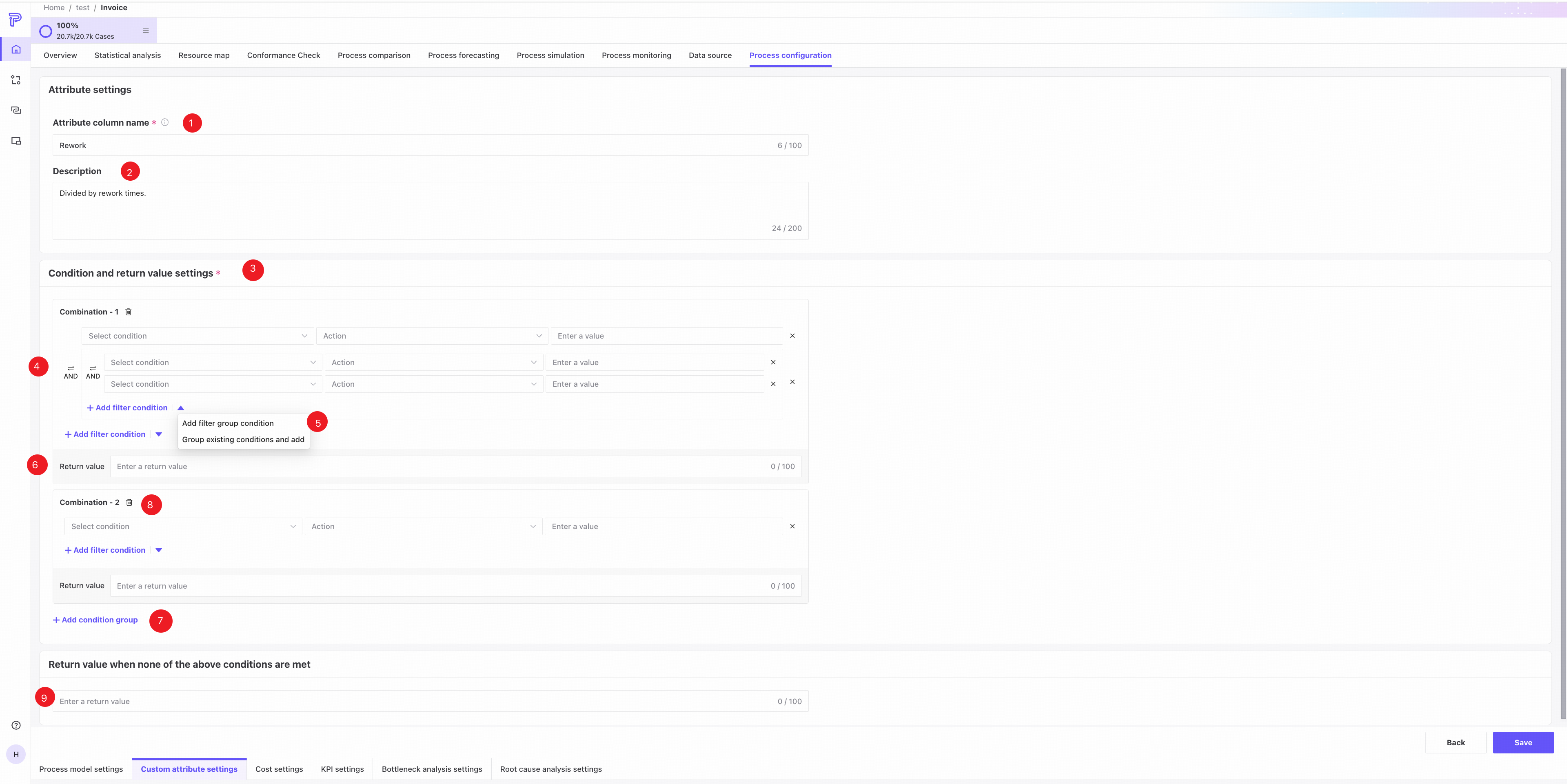
❶ Attribute column name: enter a unique name. It cannot be changed after it is set.
❷ Description: describe the custom attribute column.
❸ Condition selection: choose a case attribute or case-related measure and an operator, such as equals, contains, or is empty.
❹ Boolean relationship: choose AND or OR within or between condition groups.
❺ Add filter conditions: add a condition within the current group, add a new group, or group existing conditions before adding a new condition.
❻ Return value: specify the attribute value assigned to cases matching this condition group.
❼ Add condition group: each new group has its own return value.
❽ Delete condition group: remove the group and its return value.
❾ Specify the return value for cases that do not match any group above.
❿ Click Back to return to the list, or Save to save the custom attribute.
If a case matches multiple condition groups, only the first matching group's return value is used.
Use custom attributes
Custom attributes are case attributes used throughout filters, Resource analysis, Root cause analysis, Statistical analysis, Insights, and other features. Like original attributes, these derived attributes provide new dimensions for process analysis.