Cost settings
Overview
Define working days and hours, then configure unit costs for each resource. The system combines these settings with event log data to calculate actual process costs. A consistent basis for assigning costs to activities and cases helps identify expensive steps, compare variants, and support improvement decisions.
Features
Cost configuration
Working hours
Resource costs, especially labor costs, normally apply only during working hours.
Process Copilot lets you configure working days and hours flexibly.
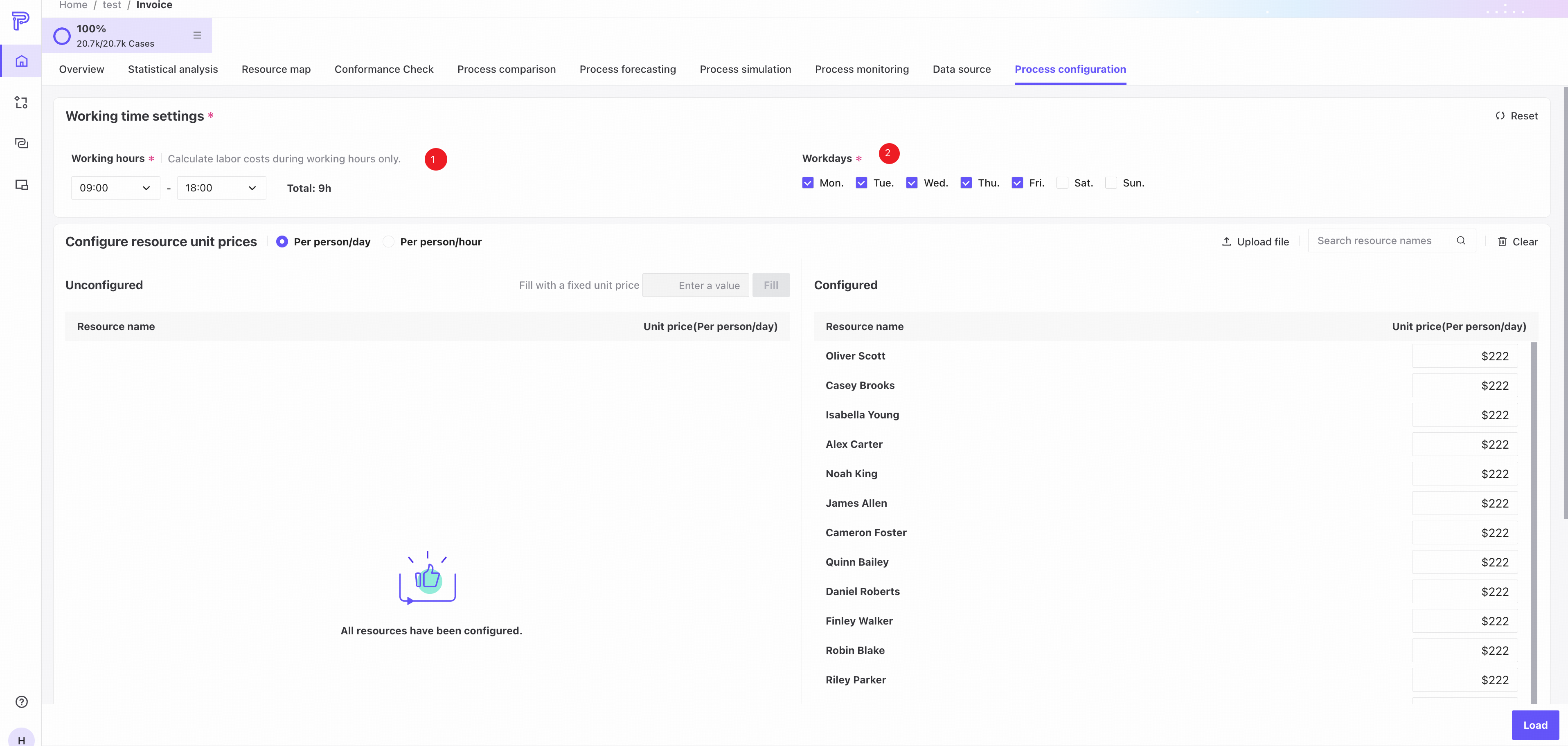
❶ Specify the working time range.
Working hours must fall within one day, from 00:00 to 24:00, and cannot cross midnight. The end time must be later than the start time.
❷ Specify which days of the week are working days.
Costs are calculated only for resource working time. Idle time is excluded.
Resource unit costs
Configure a unit cost for each resource.
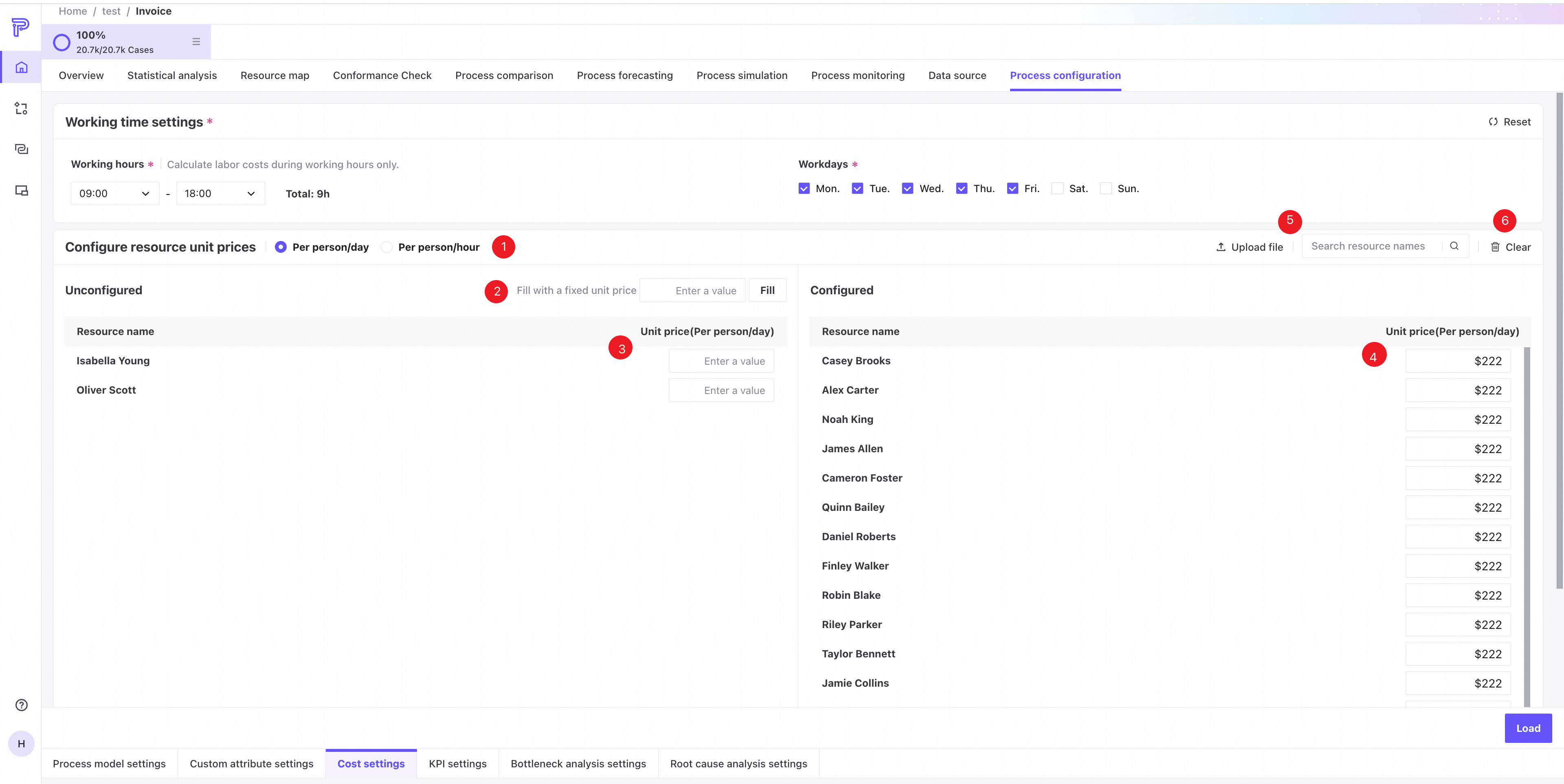
❶ Select per person-day or per person-hour. An hourly rate is used directly; a daily rate is converted to an hourly rate using the configured working hours.
For example, with working hours from 09:00 to 17:00, the daily resource rate is divided by 8 hours to obtain the hourly rate.
❷ Fill fixed amount: enter a rate and click Fill to apply it to all resources without a configured rate.
❸ Enter a rate next to a resource name and press Enter to confirm. The resource moves from Unconfigured on the left to the top of Configured on the right.
❹ In Configured, edit or clear a resource's rate. Editing moves it to the top of the list; clearing moves it to the top of Unconfigured on the left.
❺ Search resource names across both configured and unconfigured resources.
❻ Clear all unit costs to return all resources on the right to Unconfigured.
While search results are displayed, Fill fixed amount and Clear unit costs affect only the visible search results. Hidden resources are unaffected.
Upload a file
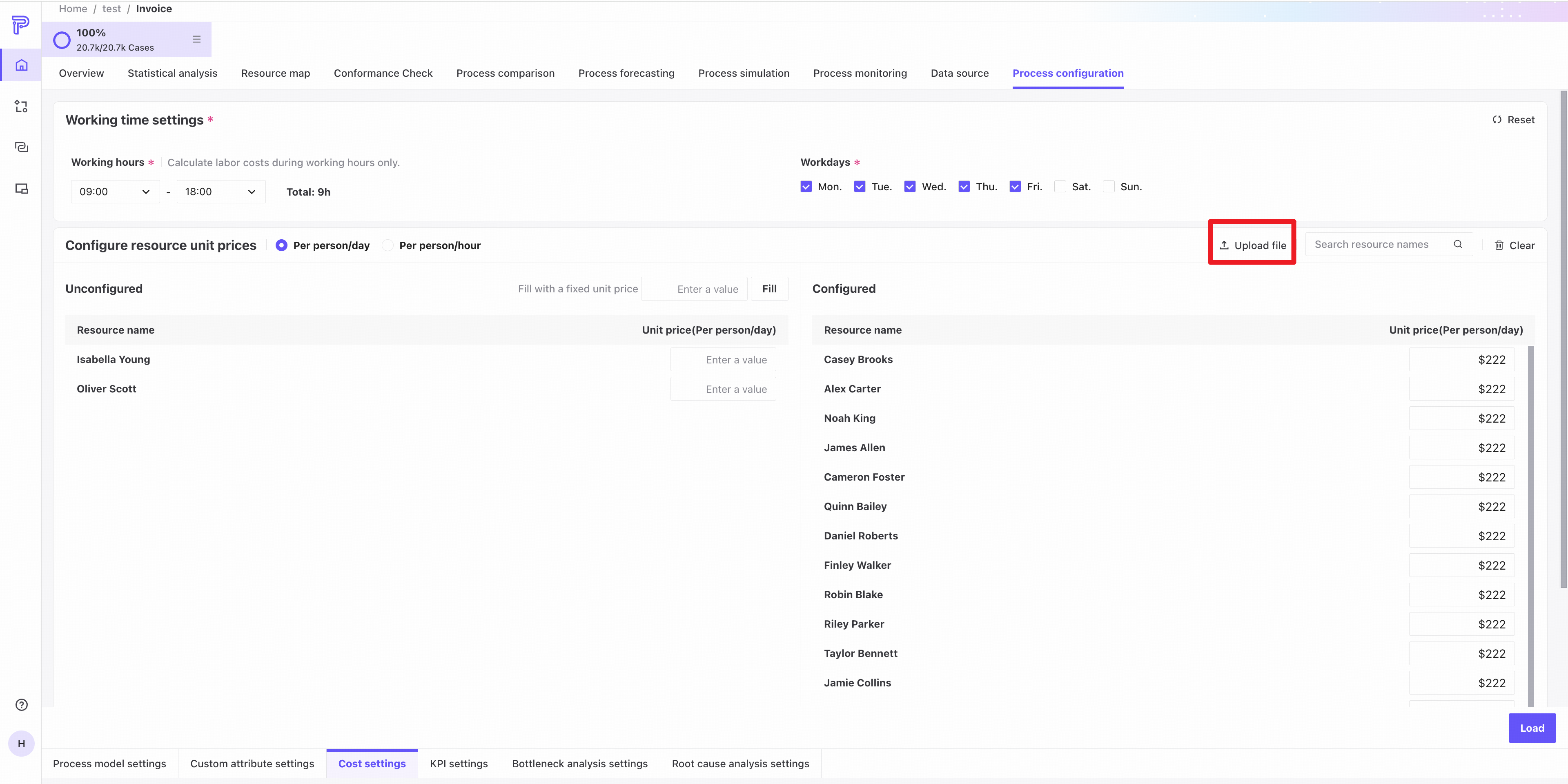
Click Upload file to import resource rates from a structured CSV file.
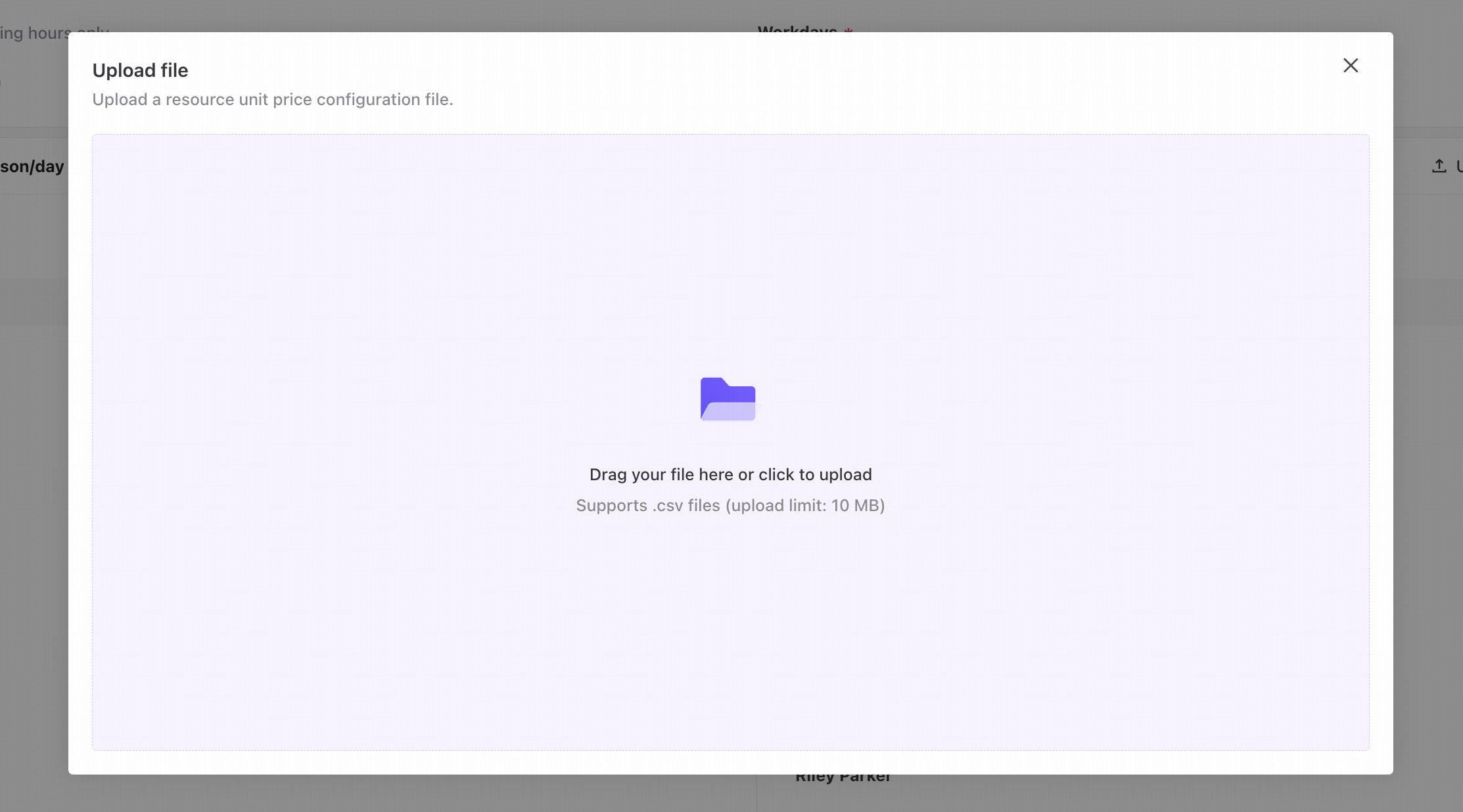
Drag and drop a file or click to select one. The size limit is 10 MB.
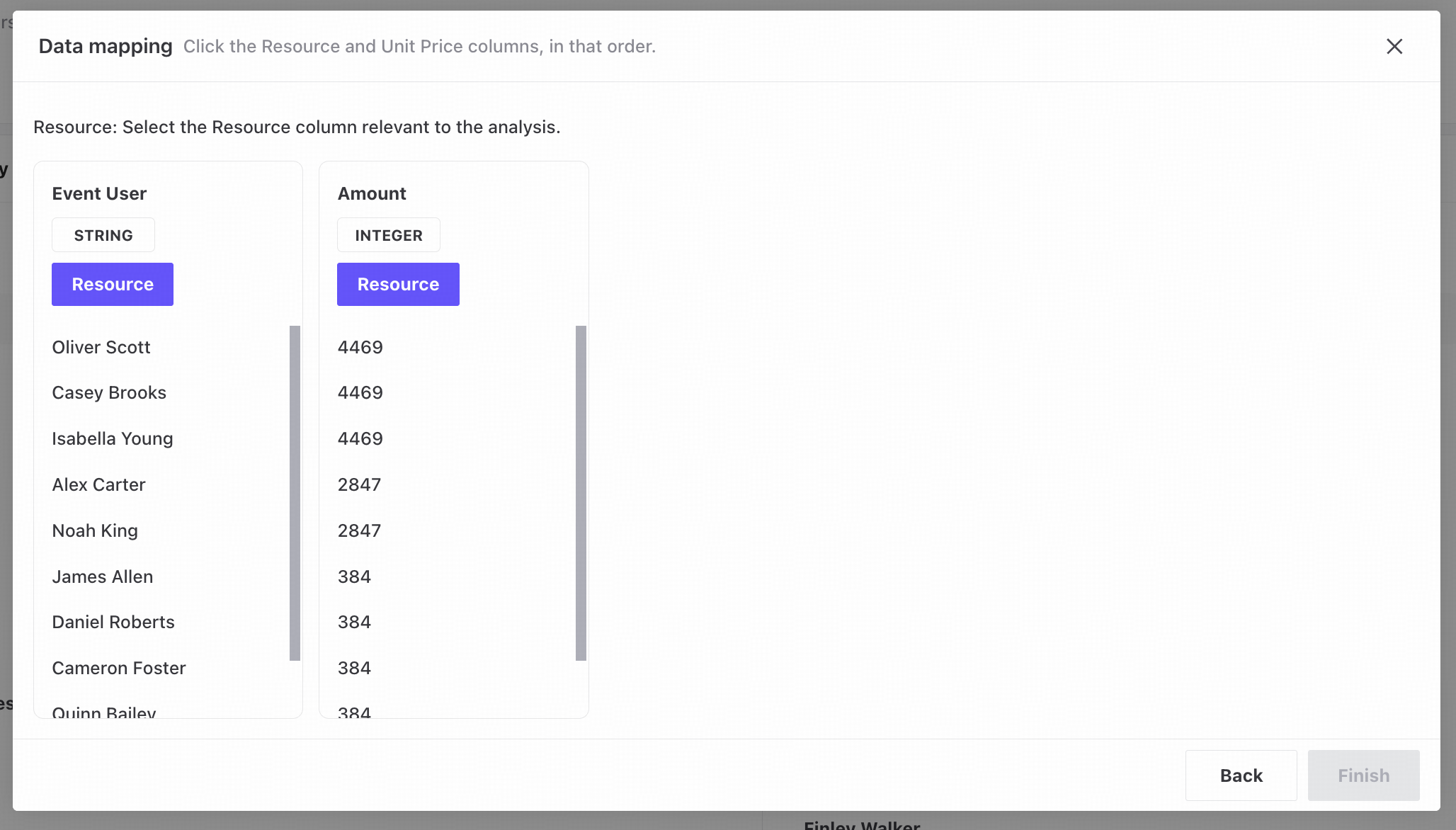
Select the Resource name column, followed by the Unit cost column. Unit cost must use a numeric format.
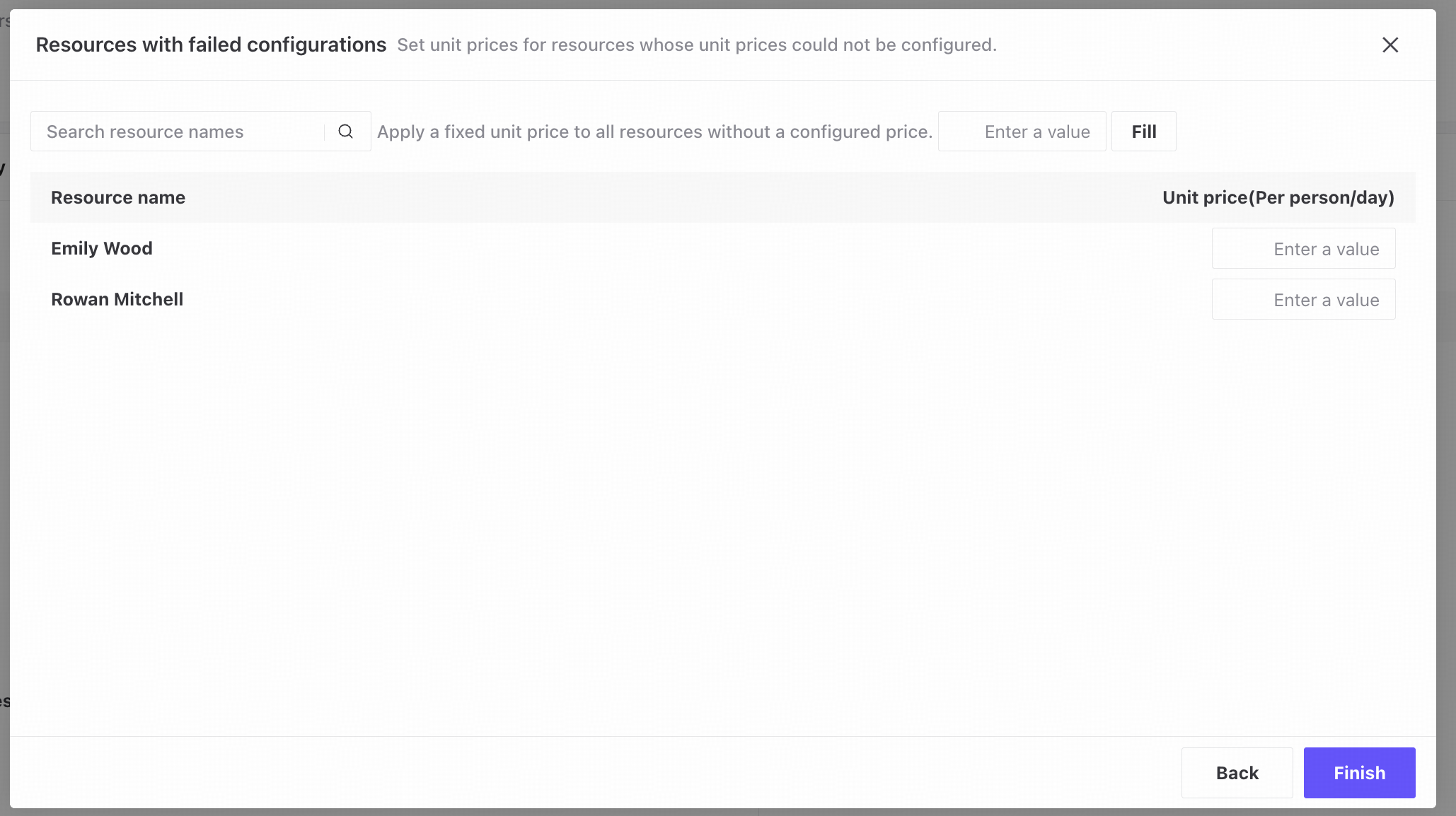
Resources that could not be configured are shown here, including those missing from the file or associated with multiple different rates. Configure their rates manually.
Importing rates from a file replaces all currently configured unit costs.
Cost analysis displays
Cost is available across process maps, Conformance Check, dashboards, comparisons, and other analysis features. It helps you track spending, identify expensive steps and potential waste, assess the economic value of improvements, and reduce operating costs while improving efficiency.