KPI settings
Overview
Process KPIs evaluate business process performance. Defined measures quantify case efficiency and reveal bottlenecks or steps needing improvement. They also identify abnormal activity so organizations can respond promptly. Continuous evaluation supports better resource allocation, operating efficiency, and alignment between processes and strategic goals.
Features
Create KPIs and manage existing ones here.
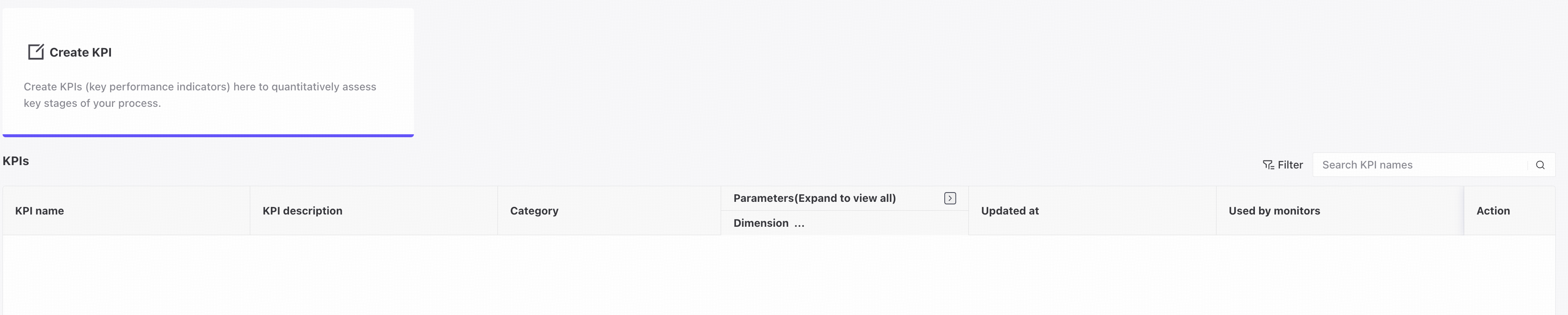
Create a KPI
Click Create KPI to open the creation page.
Basic information

❶ Enter a KPI name.
❷ Enter a custom description for the KPI.
Set parameters

KPI dimensions are organized into three categories with six dimensions to evaluate different process aspects.
❶ Case KPIs:
Case duration: elapsed time from the start of an incomplete case to the present, indicating processing efficiency.
Reworks per case: repeated work caused by errors or omissions, indicating processing accuracy.
❷ Activity KPIs:
Activity duration: elapsed time from the start of an incomplete activity to the present, indicating execution speed.
Activity reworks: repeat executions required when an activity does not meet expectations, indicating execution quality.
❸ Process KPIs:
Activity occurrence: records occurrences of specific activities or events to support optimization.
Activity traversal: examines activity flow and efficiency to identify bottlenecks and improvement opportunities.
Case KPI settings

Select the dimension to configure.
Activity KPI settings

Select the dimension and activity to configure.
Process KPI settings

Select the dimension and activity to configure.
Filter conditions

Flexible filter conditions make KPIs more targeted and precise.
❶ Bookmarks: quickly add filters from existing bookmarks. For details, see Bookmarks.
❷ Add filter conditions for scenario-specific KPI monitoring. For details, see Filters.
❸ Return to the KPI settings overview.
❹ Save the configured KPI.
KPIs

❶ User-defined KPI name.
❷ User-defined KPI description.
❸ Selected KPI type.
❹ KPI parameters: dimension, activity, and filters.
❺ Update time.
❻ Monitors using the KPI.
❼ Edit KPI information. Only the description and filter conditions can be changed, including for KPIs currently in use.
❽ Delete the KPI. KPIs in use cannot be deleted.
Common controls
Filters

❶ Combine filter condition groups using Match all.
❷ Filter the list by KPI name.