Object-Event relationships
View, add, edit, or delete relationships between objects and events.
Relationships configured here also appear under Event-Object relationships.
Events without related objects and objects without related events cannot be analyzed in process analysis.
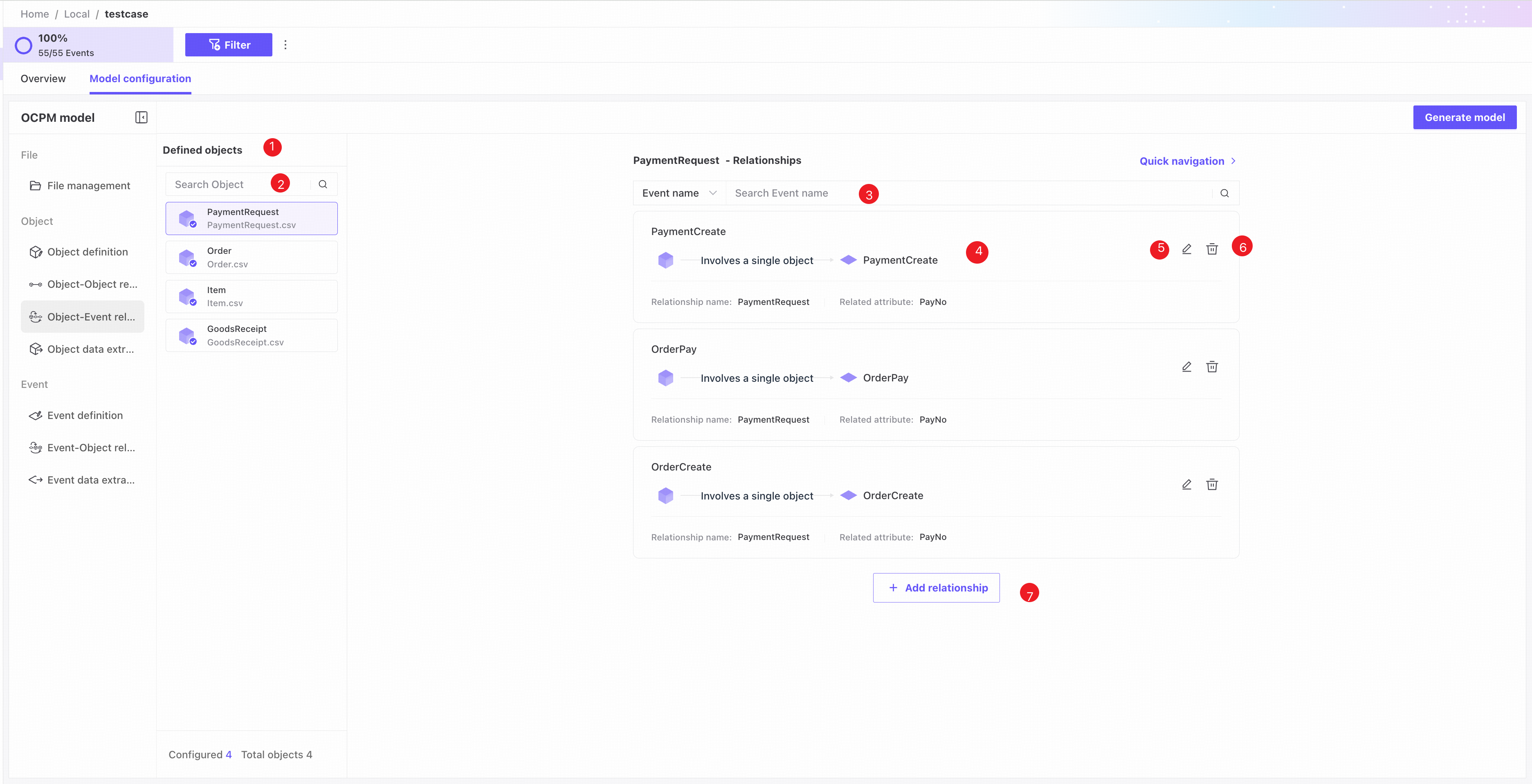
❶ Object list: shows object name, source file name, and status. An ordinary icon indicates no related events; a blue checkmark indicates a relationship with events.
❷ Search by object name.
❸ Search Object-Event relationships by relationship name or event name.
❹ Basic relationship information.
❺ Edit the relationship.
❻ Delete the relationship.
❼ Click Add relationship to add an Object-Event relationship.
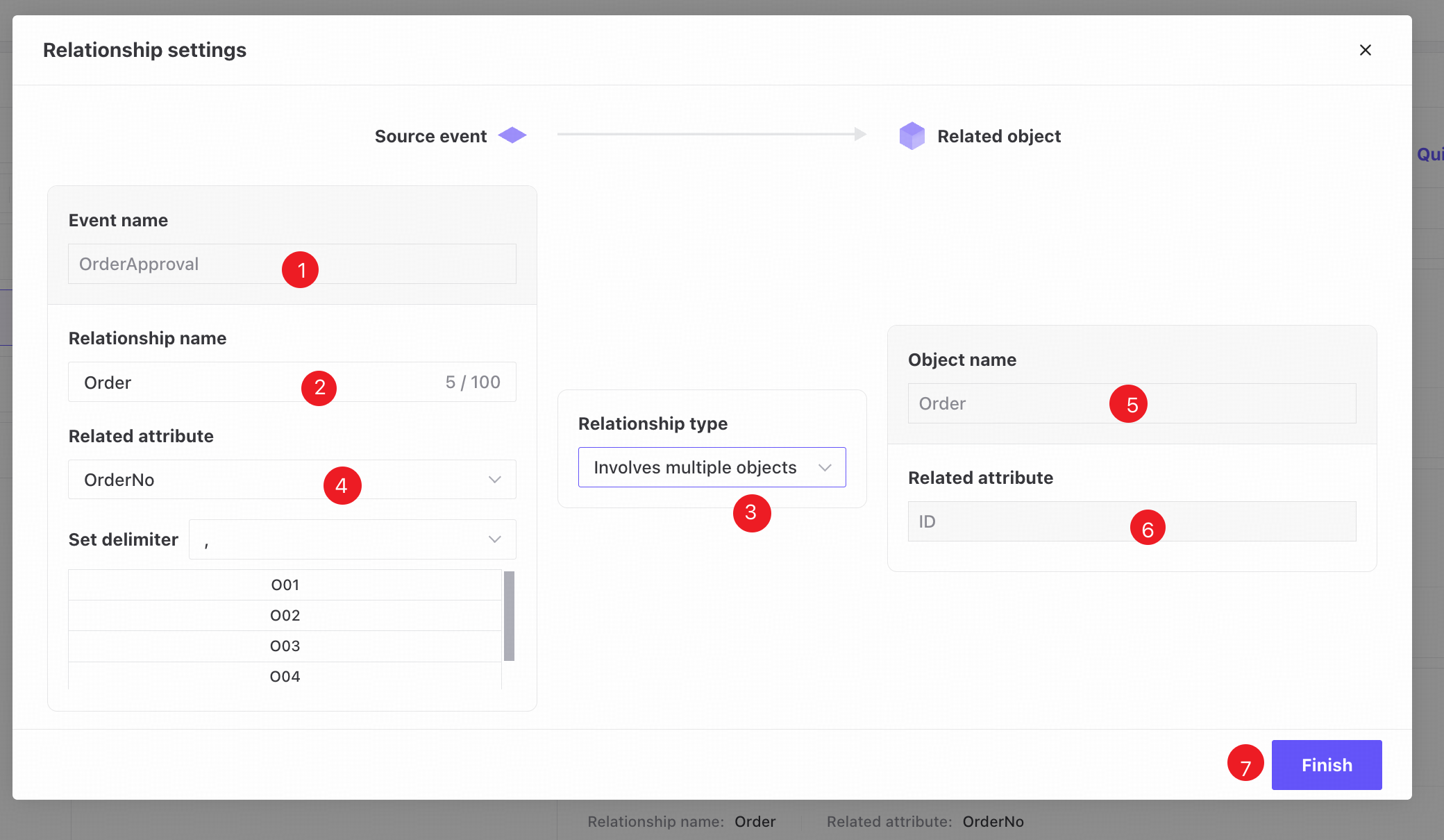
❶ Select the event to relate to the object.
❷ Relationship name: customizable; defaults to the related object's name.
❸ Relationship type: choose whether each event instance involves a single instance or multiple instances of the related object.
❹ Related attribute: normally the column containing IDs of the related object.
When Involves multiple objects is selected, one cell in the event data contains all related IDs for that object type. After selecting the related attribute, delimiter settings and sample column data appear. Choose a delimiter so the system can split each cell into multiple object IDs.
❺ Target object: fixed to the selected object.
❻ Related attribute: fixed to the selected object's ID.
❼ Complete the required fields and click Finish to add the Object-Event relationship.