Event definition
Define process events from uploaded CSV files. Select a column; the system removes duplicates and recognizes each distinct value as an event.
Create events
Click Create to select a file and create events.
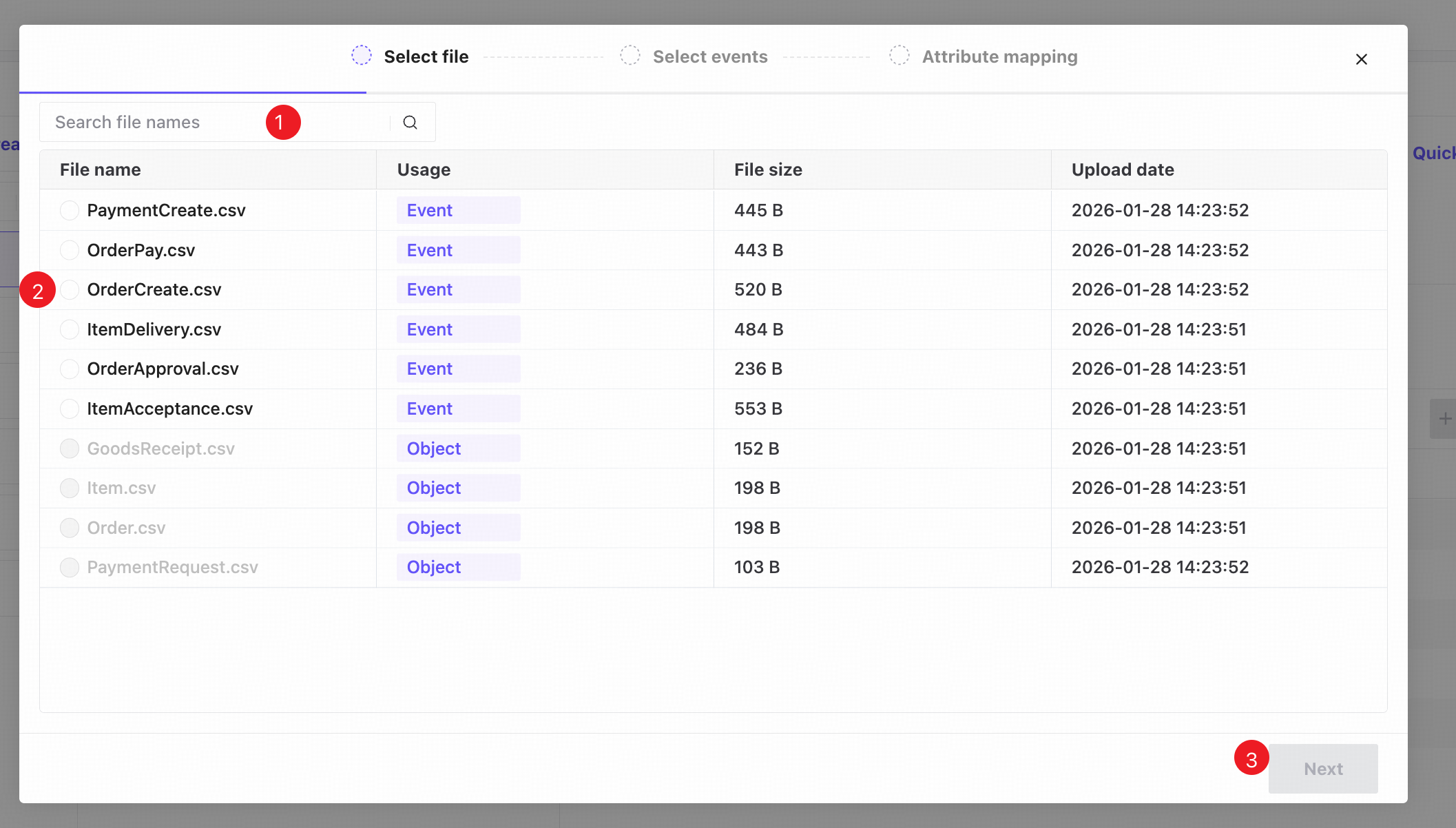
❶ Search file names.
❷ Select one file for creating events. Files already used for objects cannot be selected.
❸ Click Next to select the event column.
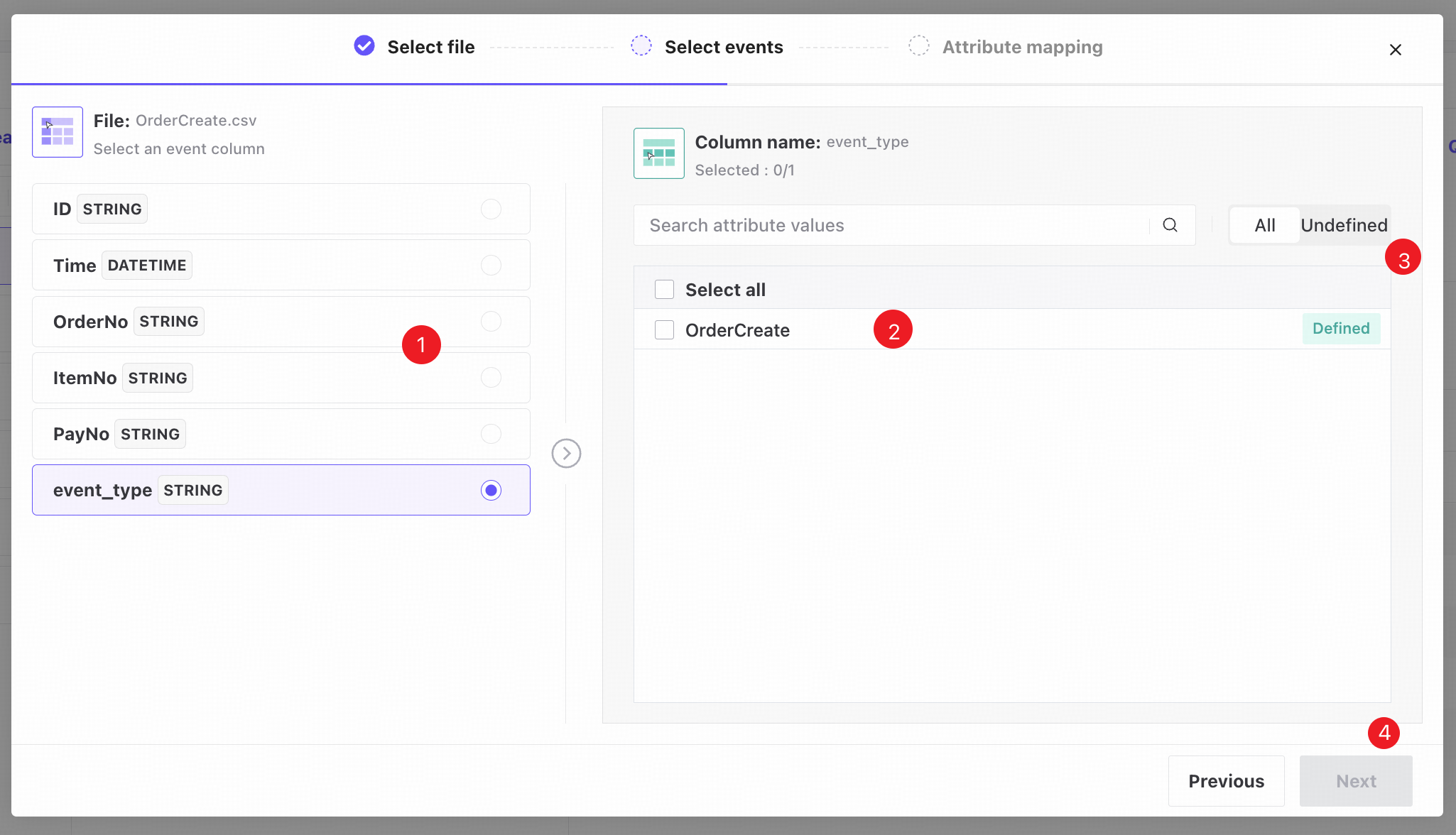
❶ Select the column containing event names.
❷ The values of the selected column appear here. Choose the events to create.
You can create multiple events at once.
❸ Switch between all attribute values and values not yet created as events.
❹ Click Next to open Attribute mapping.
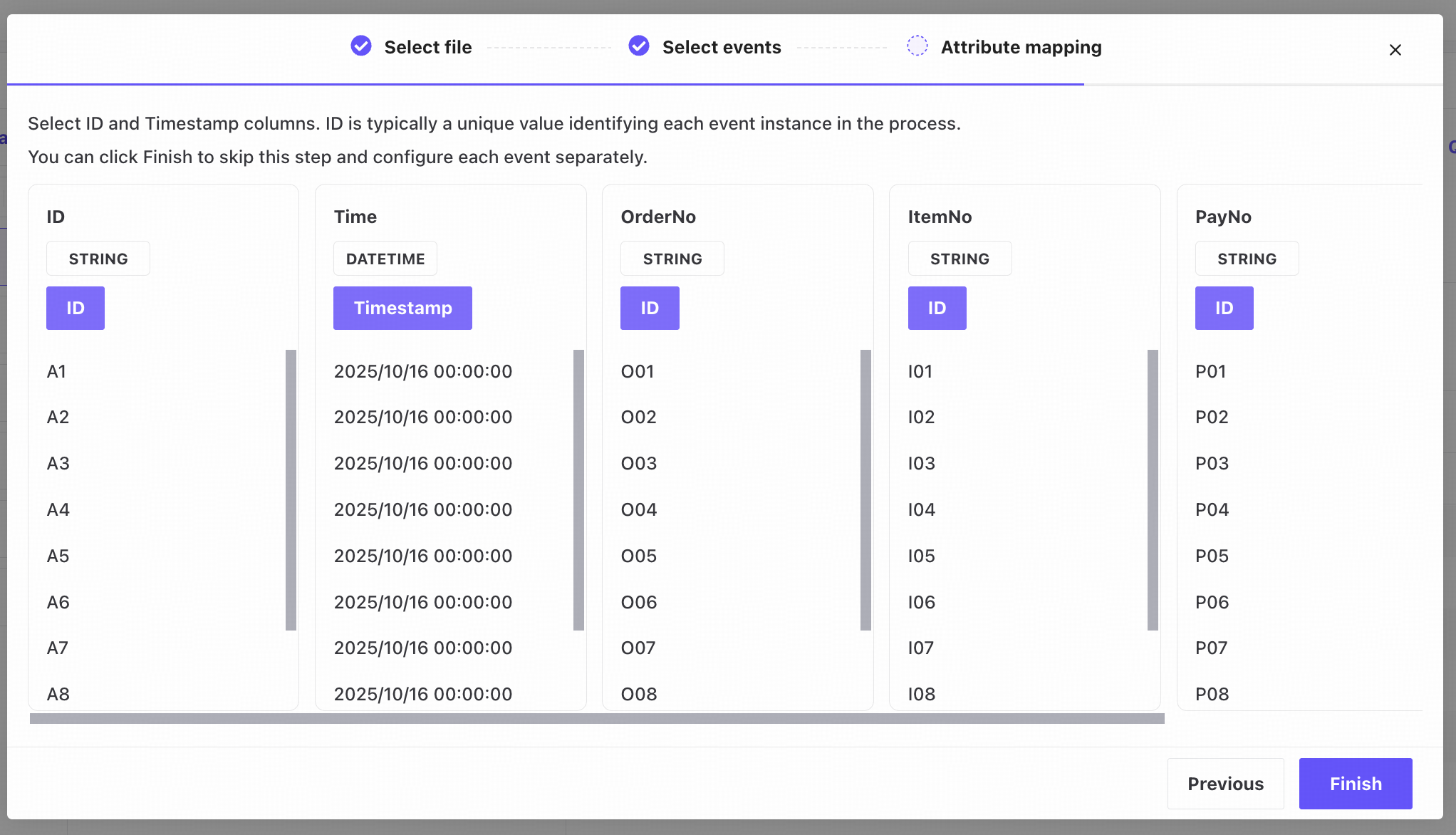
Select the Event ID and Timestamp columns by clicking their attribute cards.
Click Finish after mapping, or skip mapping and specify the columns later on the Event definition page. Mapping here applies the ID and Timestamp selections to every event created in this operation.
ID is typically a unique value identifying each event instance in the process. Timestamp is when the event actually occurred.
Event definition
View all created events and add, edit, or delete them.
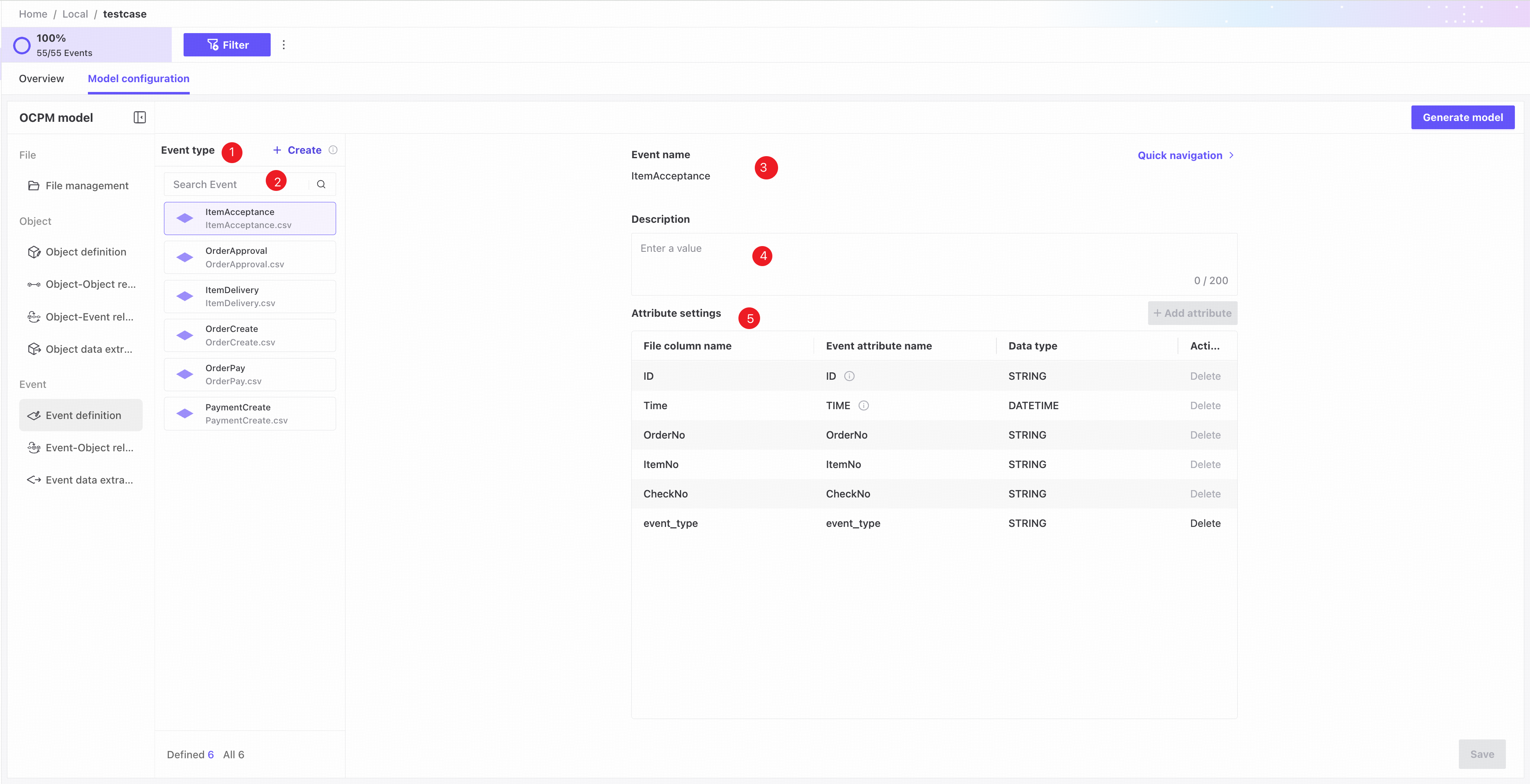
❶ Event list: shows event name, source file name, and status. A highlighted icon indicates a valid event; otherwise, the event is invalid.
❷ Search by event name.
❸ Event name: required and unique; defaults to the selected attribute value.
❹ Description: optional description of the event.
❺ Attribute settings.
- ID column: select the column uniquely identifying each event instance. Its data type is fixed to String.
If the source file has no Event ID column, select Auto-number to assign IDs automatically.
Automatically generated IDs are unique across different events as well.
- Timestamp column: select the column containing timestamps. Its data type is fixed to DATETIME.
- Attribute checkboxes: selected attributes become event attributes for process analysis.
- Attribute name: enter a custom attribute name.
- Data type: specify the attribute's data type.
Changing a data type may require data to be extracted again.
Attributes used in object relationships cannot be deselected or edited.