Object definition
Define business objects using uploaded CSV files.
Create objects
Click Create to select files and create objects.
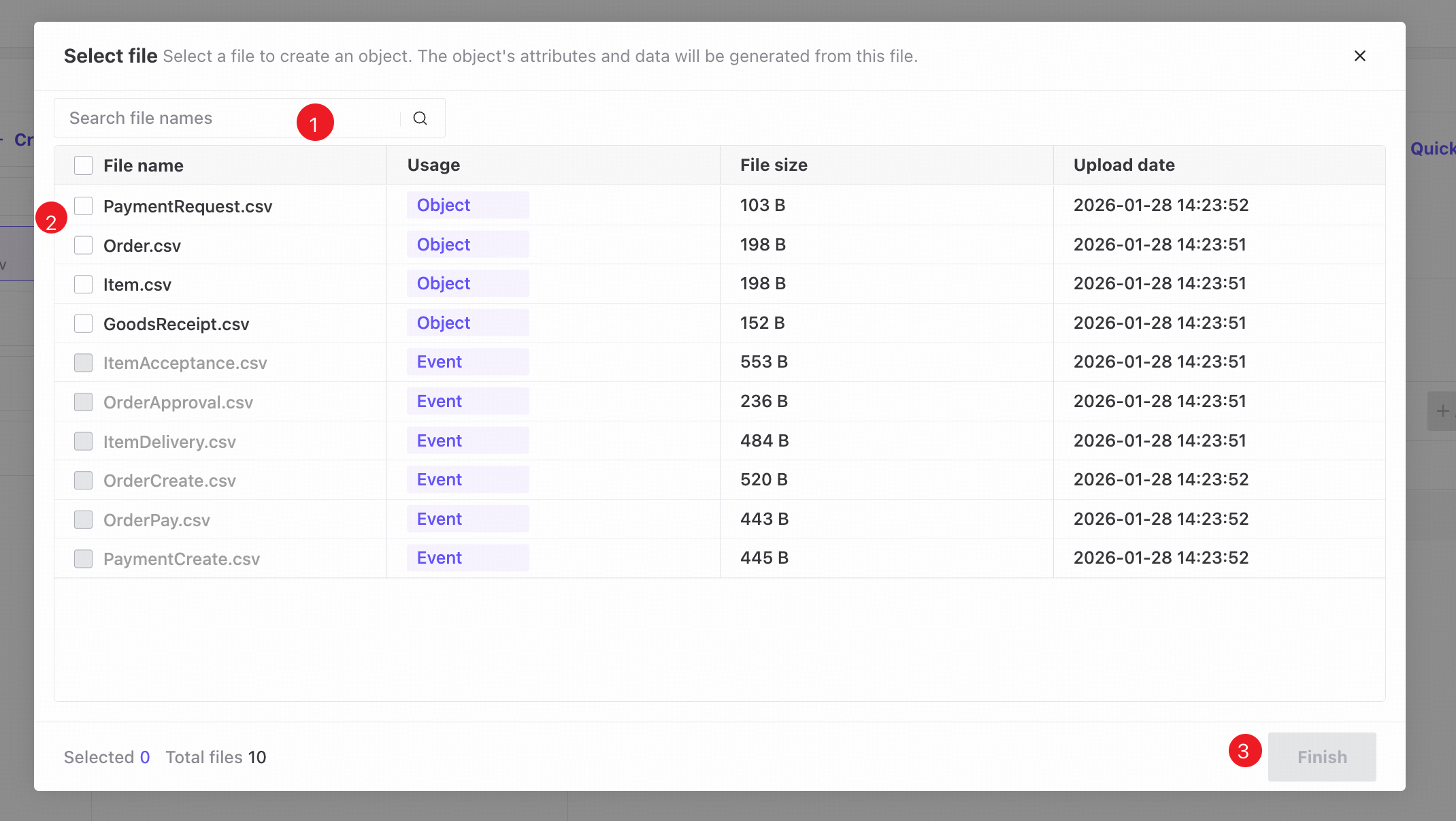
❶ Search file names.
❷ Select one or more files for creating objects. Files already used for events cannot be selected.
❸ Click Finish to proceed to object definition.
Object definition
View all created objects and add, edit, or delete them.
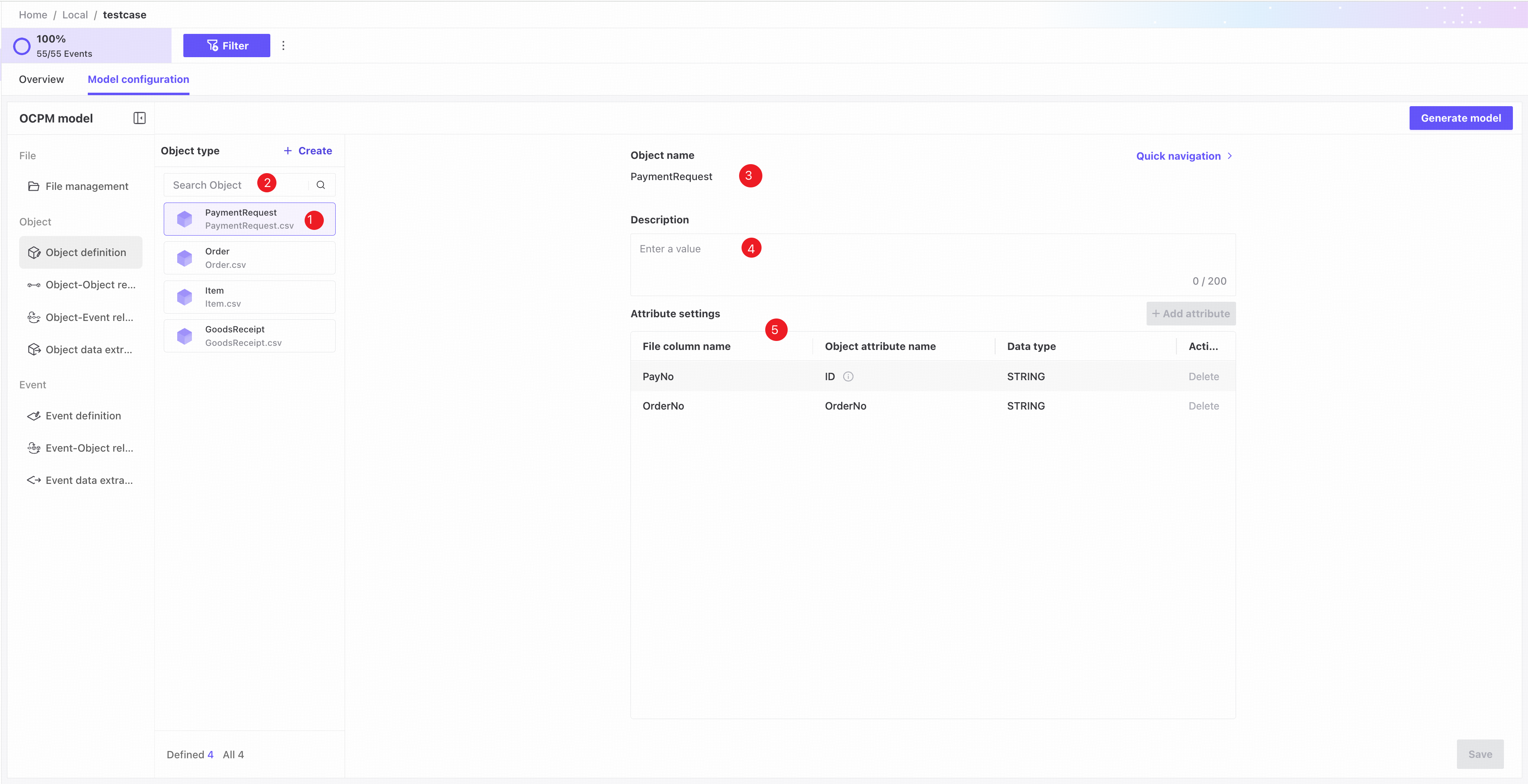
❶ Object list: shows object name, source file name, and status. A highlighted icon indicates a valid object; otherwise, the object is invalid.
❷ Search by object name.
❸ Object name: required and unique; defaults to the file name.
❹ Description: optional description of the object.
❺ Attribute settings.
- ID column: select the column uniquely identifying each object instance. Its data type is fixed to String.
- Attribute checkboxes: selected attributes become object attributes for process analysis.
- Attribute name: enter a custom attribute name.
- Data type: specify the attribute's data type.
Changing a data type may require data to be extracted again.
Attributes used in relationships with other objects cannot be deselected.