Data extraction
Select data from the files used to define objects and events, and extract it as instance data.
Object data extraction
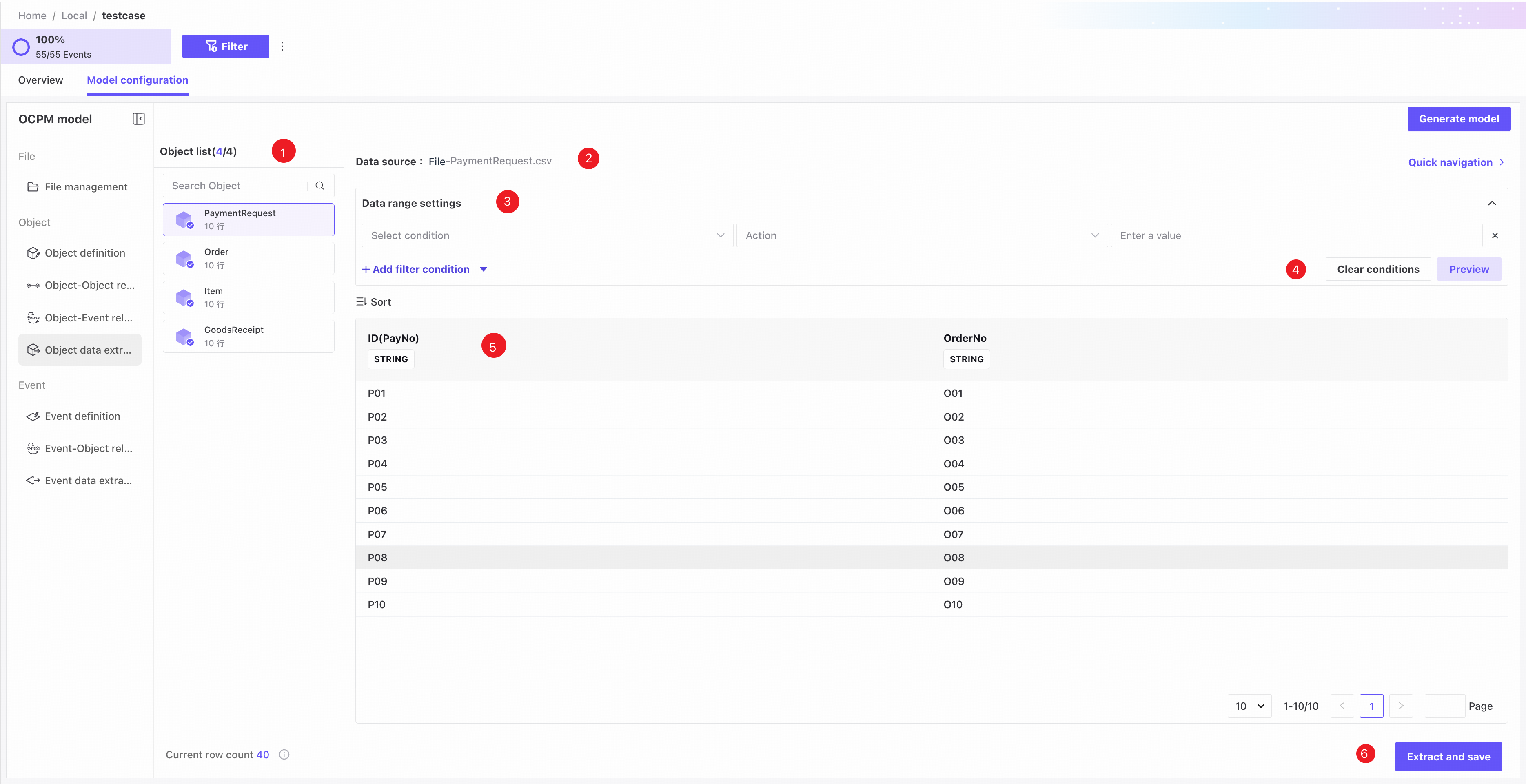
❶ Object list: shows object name, status, and current row count. An ordinary icon indicates no extracted data; a blue checkmark indicates extraction is complete; a red exclamation mark indicates that definition changes require extraction again.
❷ Source file name.
❸ Data range settings: filter source data to choose records to extract for the object.
❹ Actions: Clear conditions removes all filters; Preview shows data matching the current filters.
❺ Data area: after clicking Preview, review the matching records here.
Columns not selected in Object definition can still be used as extraction filters and are displayed with a distinct style in the data area.
❻ Click Extract and save to rerun the current filters and save the data.
Event data extraction
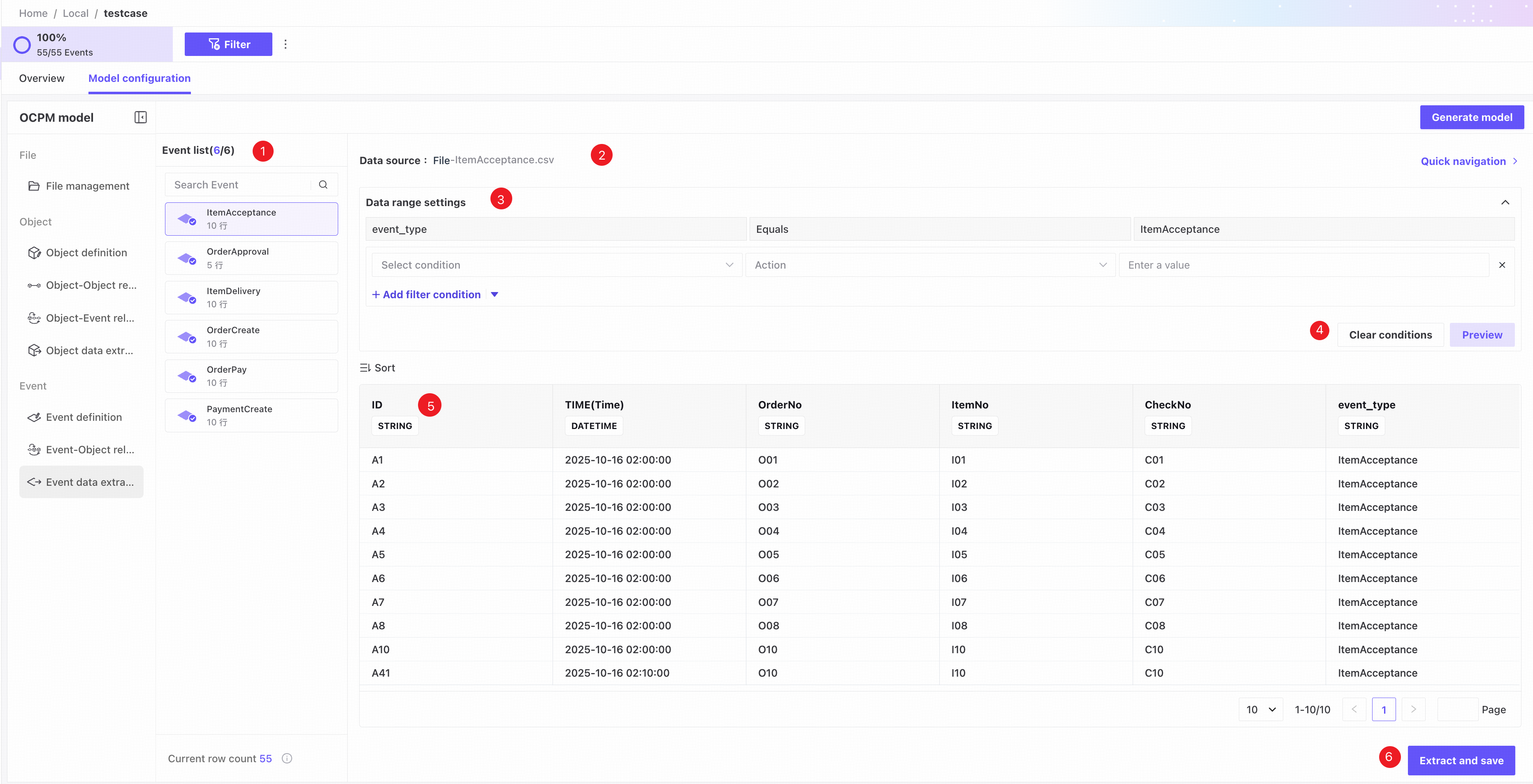
❶ Event list: shows event name, status, and current row count. An ordinary icon indicates no extracted data; a blue checkmark indicates extraction is complete; a red exclamation mark indicates that definition changes require extraction again.
❷ Source file name.
❸ Data range settings: filter source data to choose records to extract for the event. A default condition identifies the event and cannot be changed or deleted.
❹ Actions: Clear conditions removes all filters; Preview shows data matching the current filters.
❺ Data area: after clicking Preview, review the matching records here.
Columns not selected in Event definition can still be used as extraction filters and are displayed with a distinct style in the data area.
❻ Click Extract and save to rerun the current filters and save the data.