Variant filtering
Overview
A variant is the sequence of activities from process start to finish. Filter by selecting specific variants. Unlike Attribute filtering, Activity filtering, Process filtering, Throughput time filtering, Rework filtering, and Process segment filtering, variant filtering is not available in the Filter conditions panel.
Features
Variant filtering appears in the panel on the right of the Overview screen, as shown below.
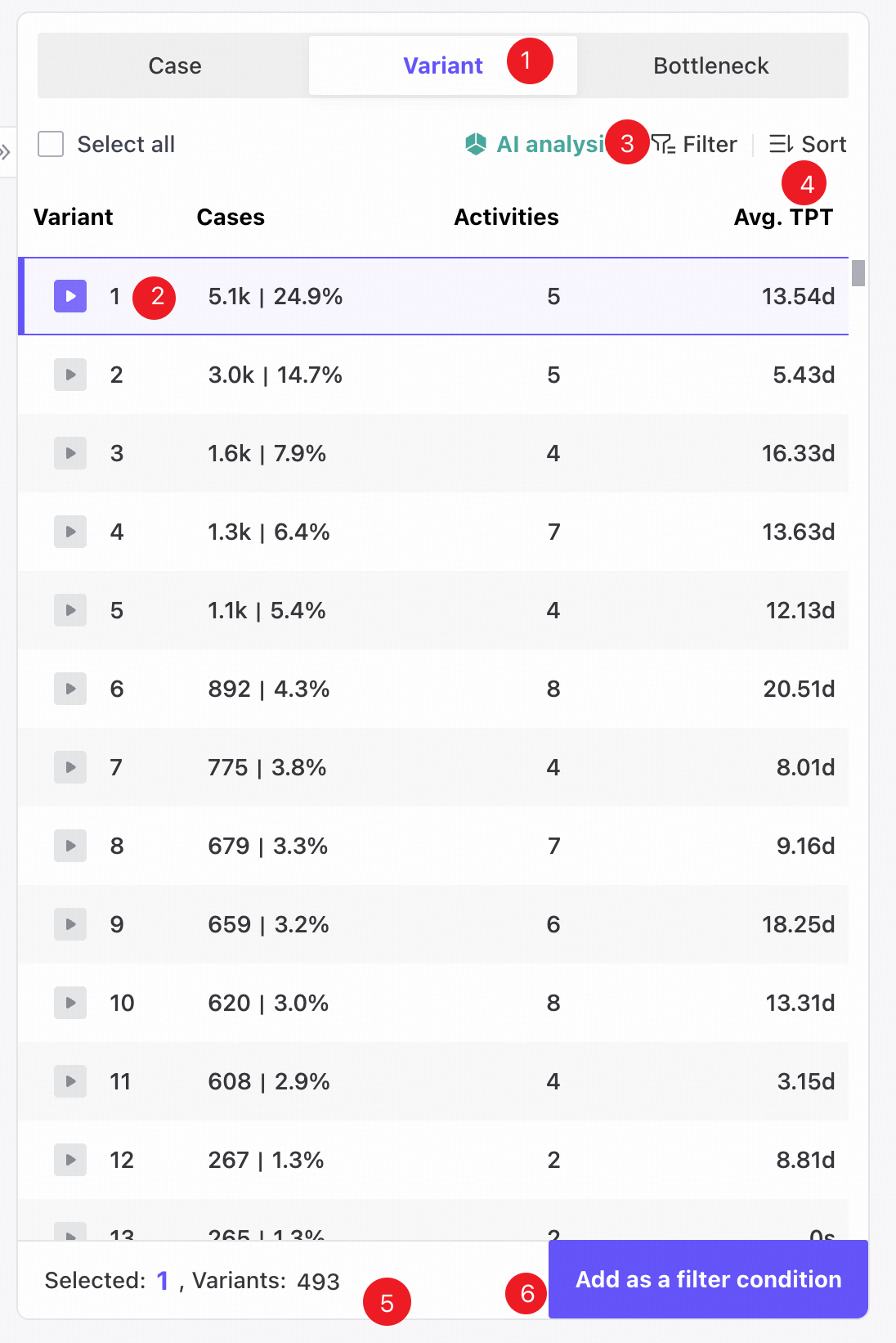
❶ Variants panel.
❷ Select one or more variants in the checkbox list.
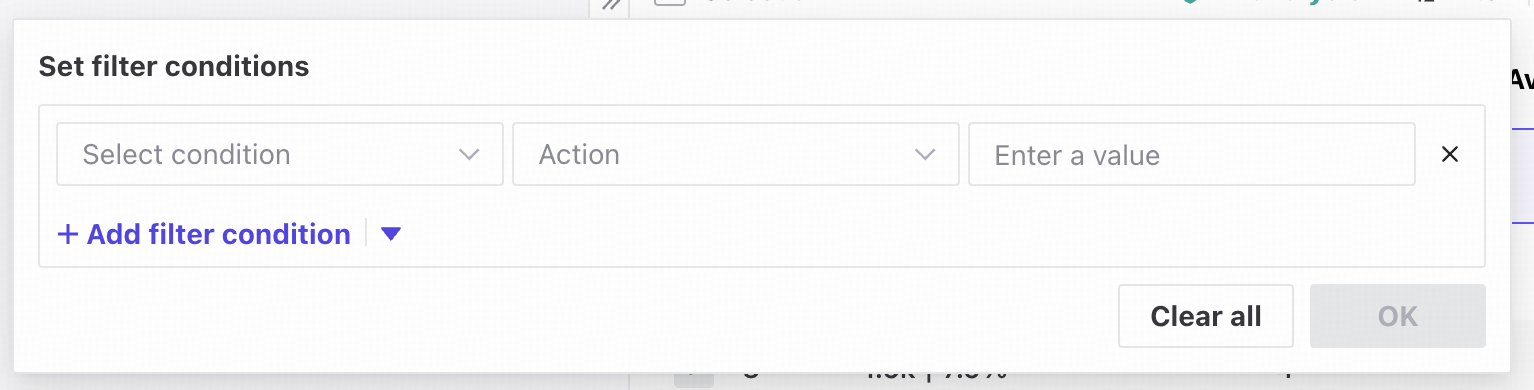
❸ Filters, as shown below.
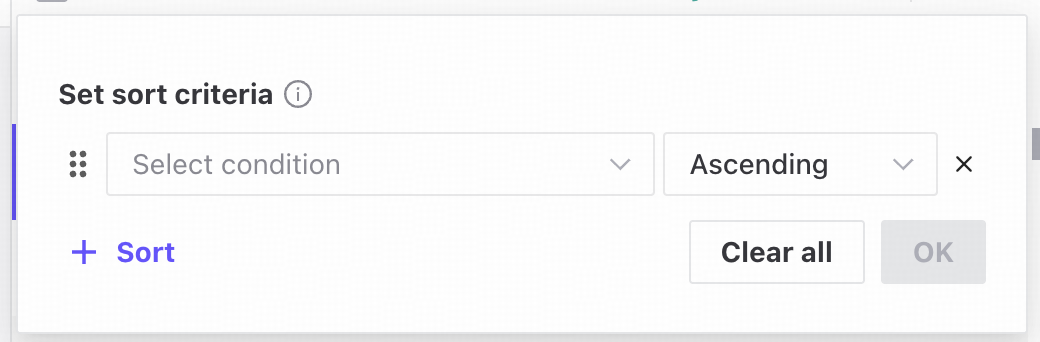
❹ Sorting, as shown below.
❺ The total variant count and selected variant count.
❻ Finish is disabled until at least one variant is selected.
Add filter conditions
Follow these steps to create a variant filter.
- Open Overview.
- Open the Variants tab in the right-hand panel.
- Select the required entries.
- Click Finish to add the variant filter.
View or edit filter conditions
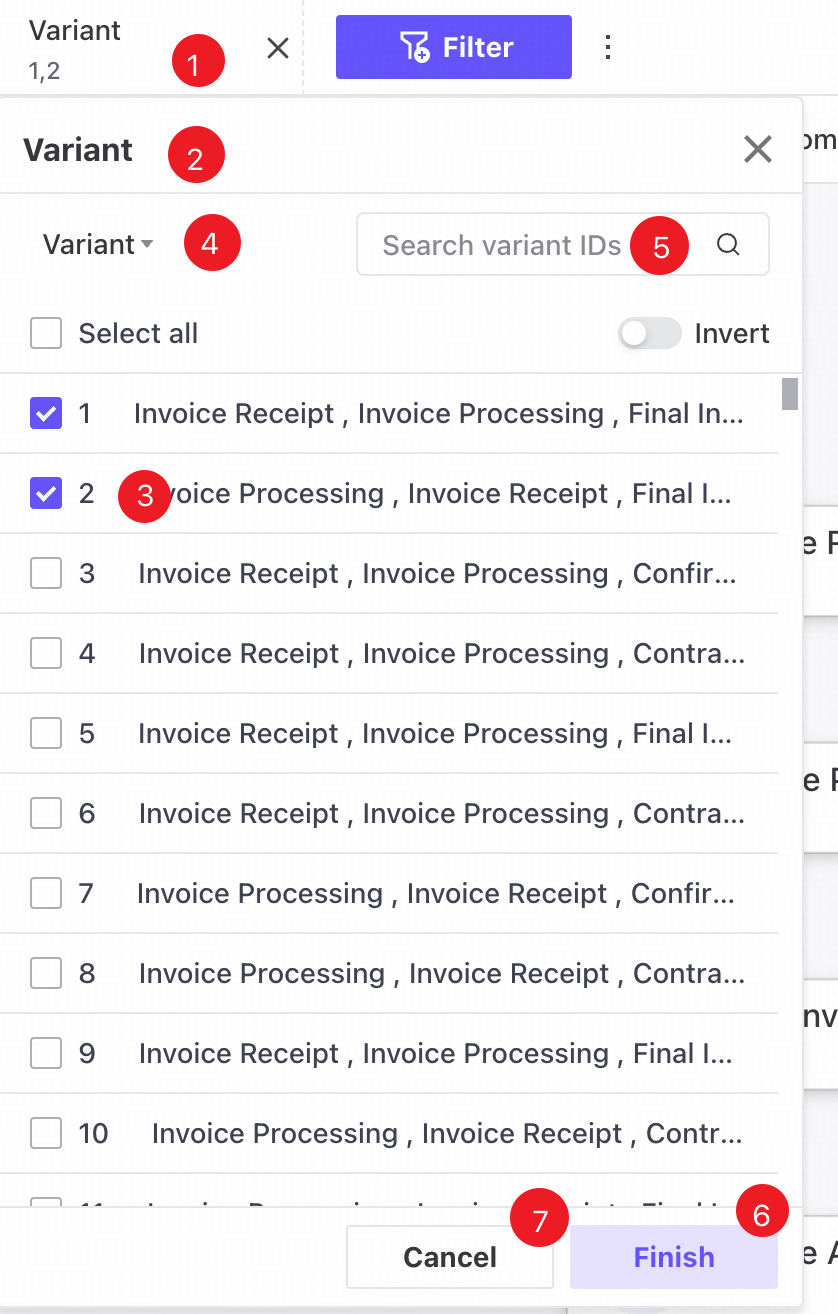
❶ Saved filters appear as tags in a horizontally scrollable row at the top of the page.
❷ Click a tag to open a popover showing its saved filter values.
❸ Each entry in the checkbox list shows the variant and activity details. The last saved entries are selected by default.
❹ Choose whether to search by variant or activity details from the dropdown.
❺ Enter a variant or activity details in the column value search box.
❻ Select new conditions in the panel and click Finish to update the filter.
❼ Click Cancel to close the popover and restore the last saved values.