Process filtering
Overview
Select the Process tab in the Filter conditions panel to filter by relationships between activities.
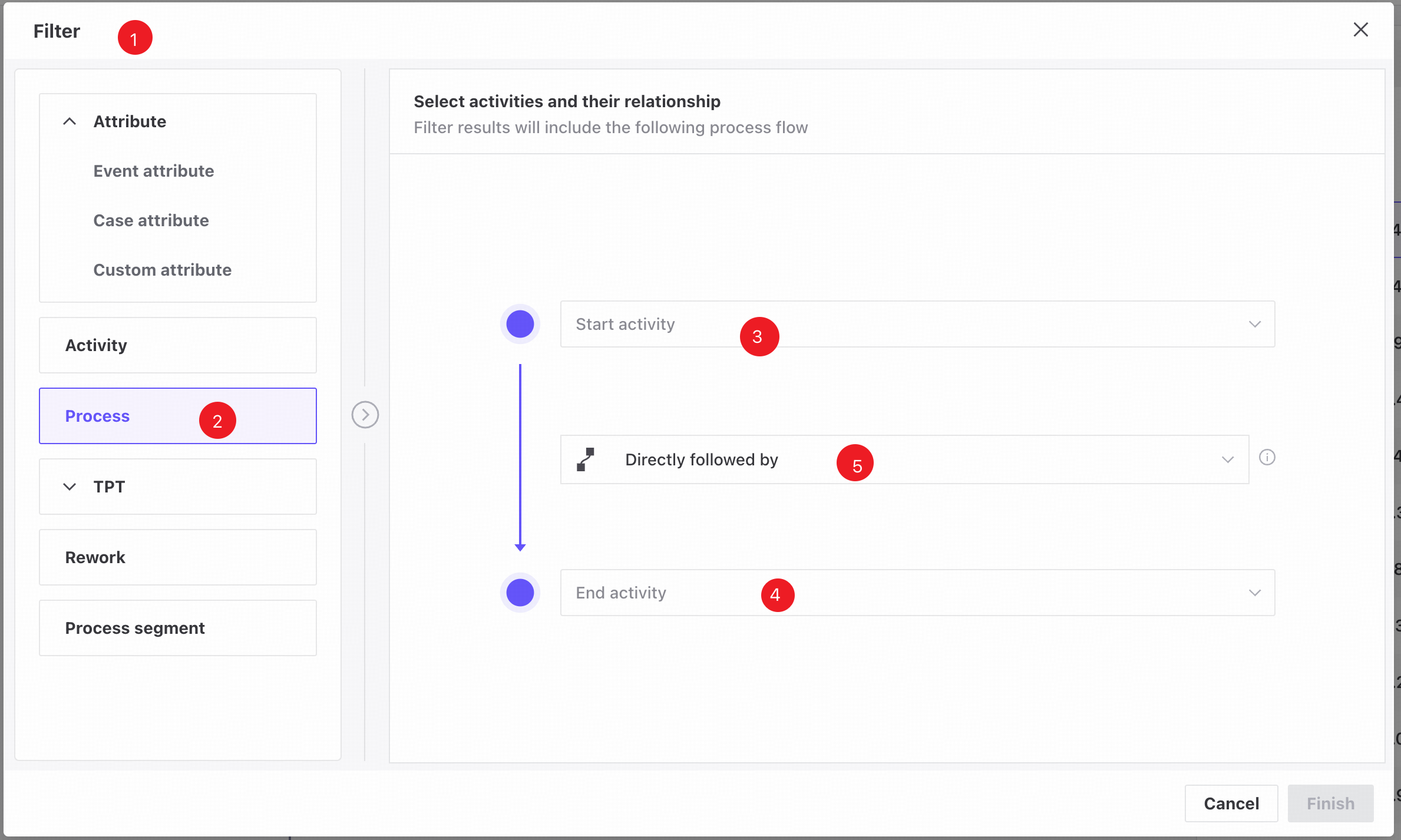
❶ Filter conditions panel.
❷ Process tab.
❸ Select a start activity from the upper dropdown.
❹ Select an end activity from the lower dropdown.
❺ Use the middle dropdown to select the activity relationship: directly follows, eventually follows, indirectly follows, does not directly follow, or never follows.
Features
Add filter conditions
Follow these steps to create a process filter.
- Open the Filter conditions panel.
- Open the Process tab.
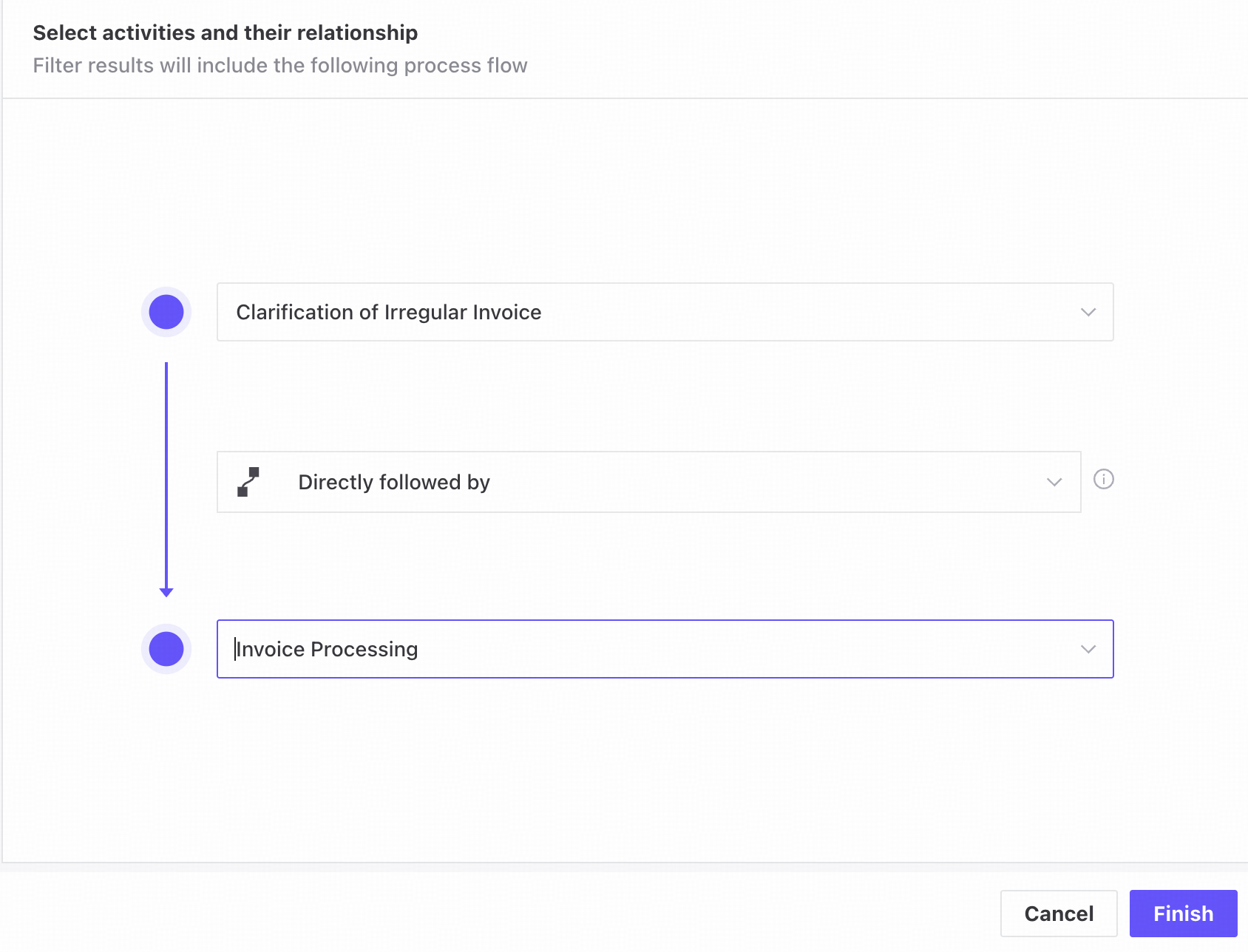
- Select a start activity in the upper list, an end activity in the lower list, and their relationship in the middle dropdown.
- Click Finish to add the process filter.
View or edit filter conditions
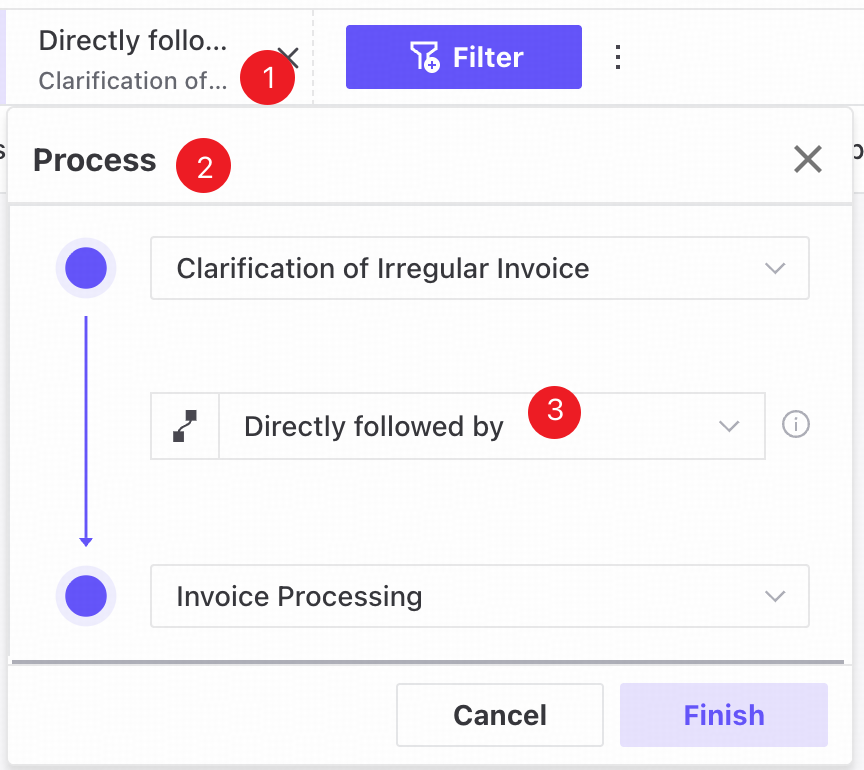
❶ Saved filters appear as tags in a horizontally scrollable row at the top of the page.
❷ Click a tag to open a popover showing the filter conditions.
❸ Edit the process conditions in the same way as in the Filter conditions panel.