Throughput time filtering
Overview
Filter cases by specifying a throughput time range for a single activity or between two activities.
Features
Activity range filtering
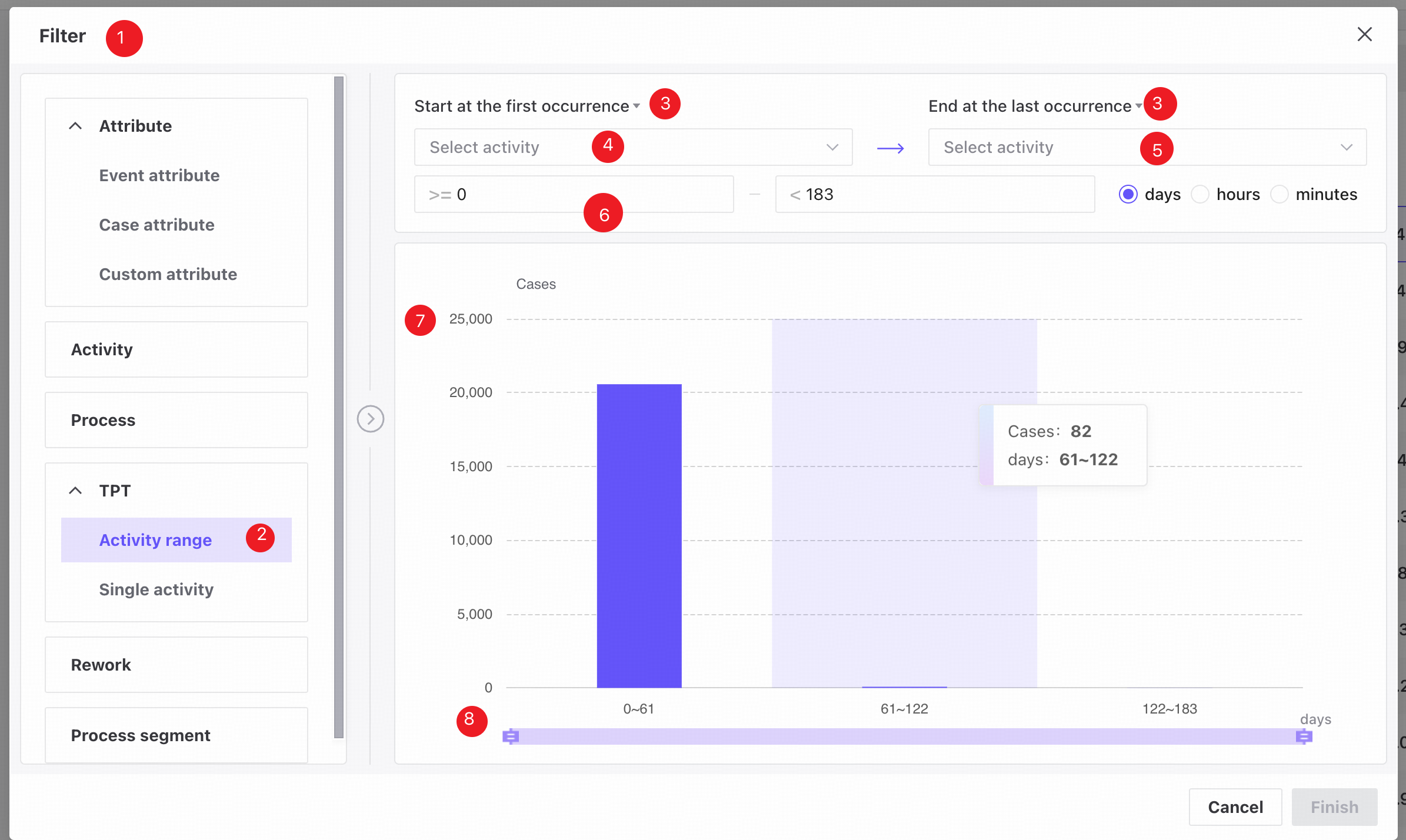
❶ Filter conditions panel.
❷ Activity range tab.
❸ Choose whether to use the first or last occurrence of an activity when measuring throughput time.
❹ Select the start activity.
❺ Select the end activity.
❻ Enter a start value, end value, and time unit to filter cases by throughput time. Use the up/down arrows to adjust values in increments of 0.1. Defaults are the minimum and maximum values in the data. Available units are days, hours, and minutes; days is selected by default.
❼ The histogram shows time ranges on the X-axis and case counts on the Y-axis.
❽ Drag the time range slider to adjust the range and view the corresponding data.
Single activity filtering
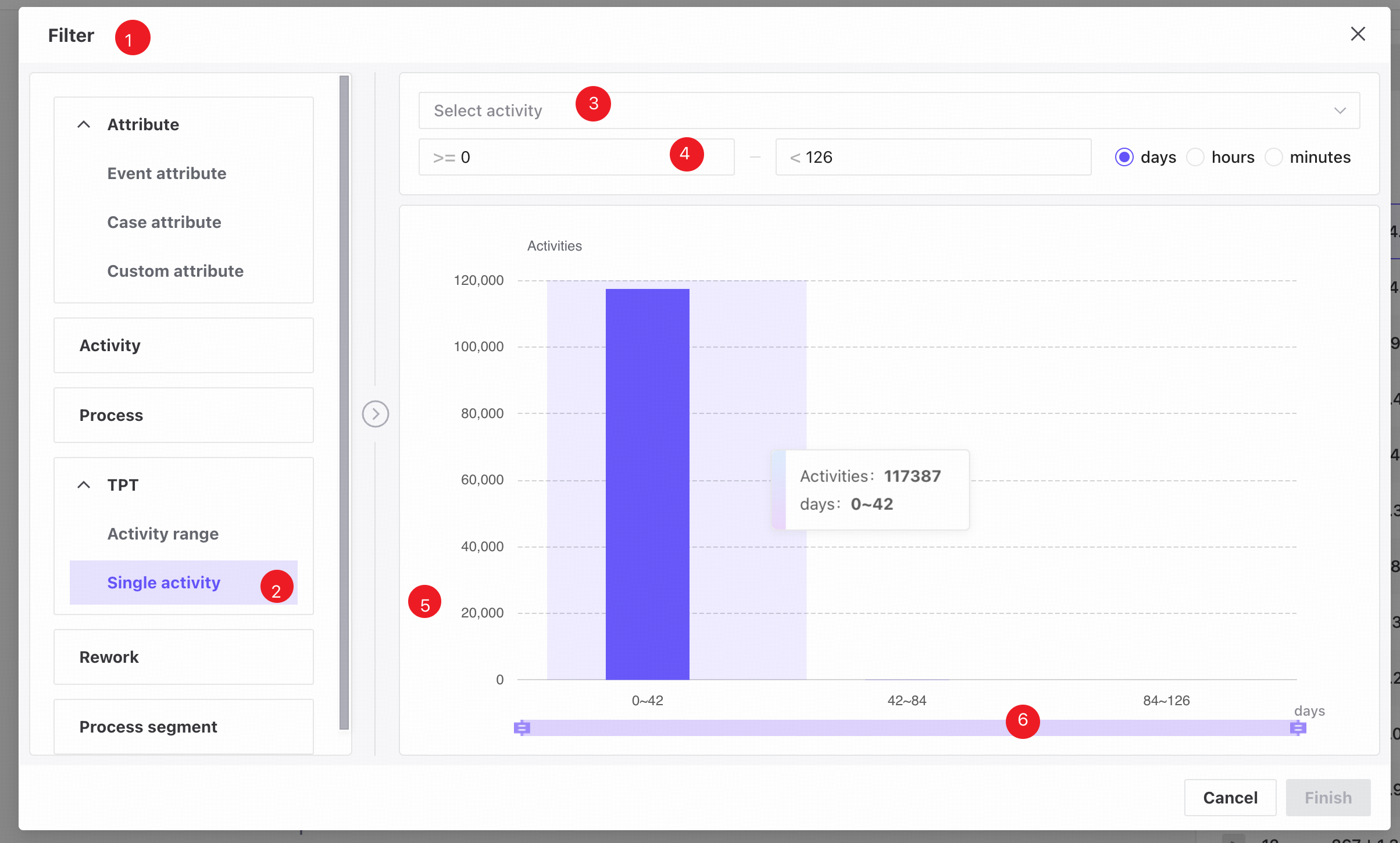
❶ Filter conditions panel.
❷ Single activity tab.
❸ Select an activity.
❹ Enter a start value, end value, and time unit to filter cases by throughput time. Use the up/down arrows to adjust values in increments of 0.1. Defaults are the minimum and maximum values in the data. Available units are days, hours, and minutes; days is selected by default.
❺ The histogram shows time ranges on the X-axis and case counts on the Y-axis.
❻ Drag the time range slider to adjust the range and view the corresponding data.
View or edit filter conditions
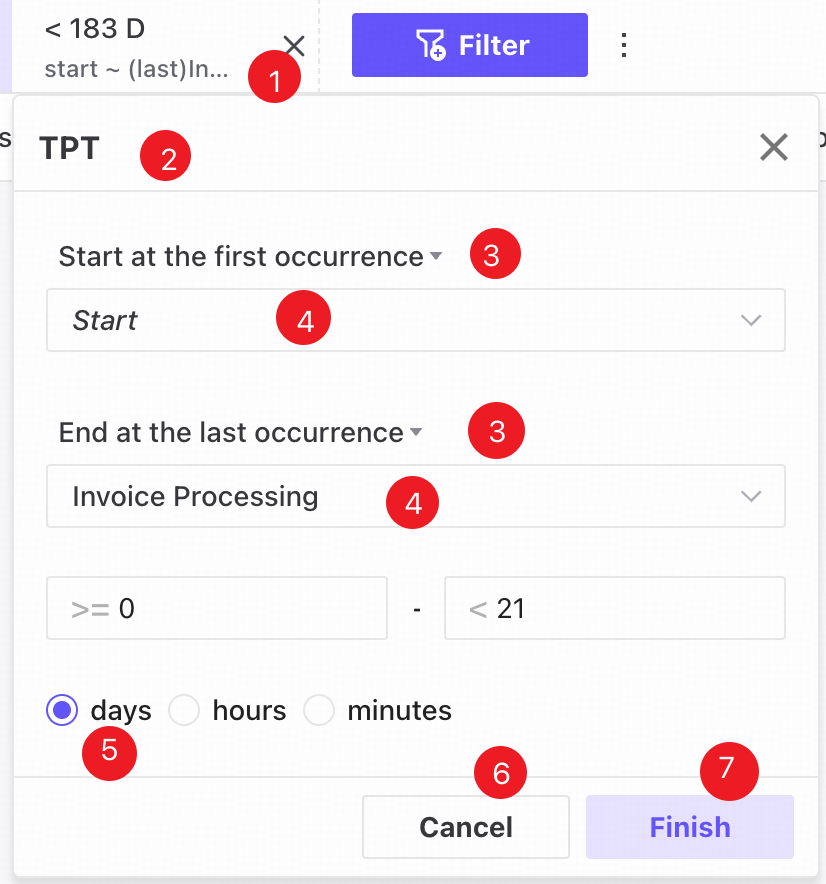
❶ Saved filters appear as tags in a horizontally scrollable row at the top of the page.
❷ Click a tag to open a popover showing its saved filter values.
❸ The first/last occurrence setting shows the last saved value by default.
❹ Click the activity selector to open the activity dropdown. The last saved selection is shown by default.
❺ The throughput time range includes a start value, end value, and time unit. The last saved values are shown by default.
❻ Choose new conditions and click Finish to update the filter.
❼ Click Cancel to close the popover and restore the last saved values.